DocsSection 5
Today
Click Open Recall in the tray to open the main window. Its first tab, Today, shows your day as a timeline of threads, with what to return to and what you owe underneath. The window is resizable; it is shown here stretched tall.
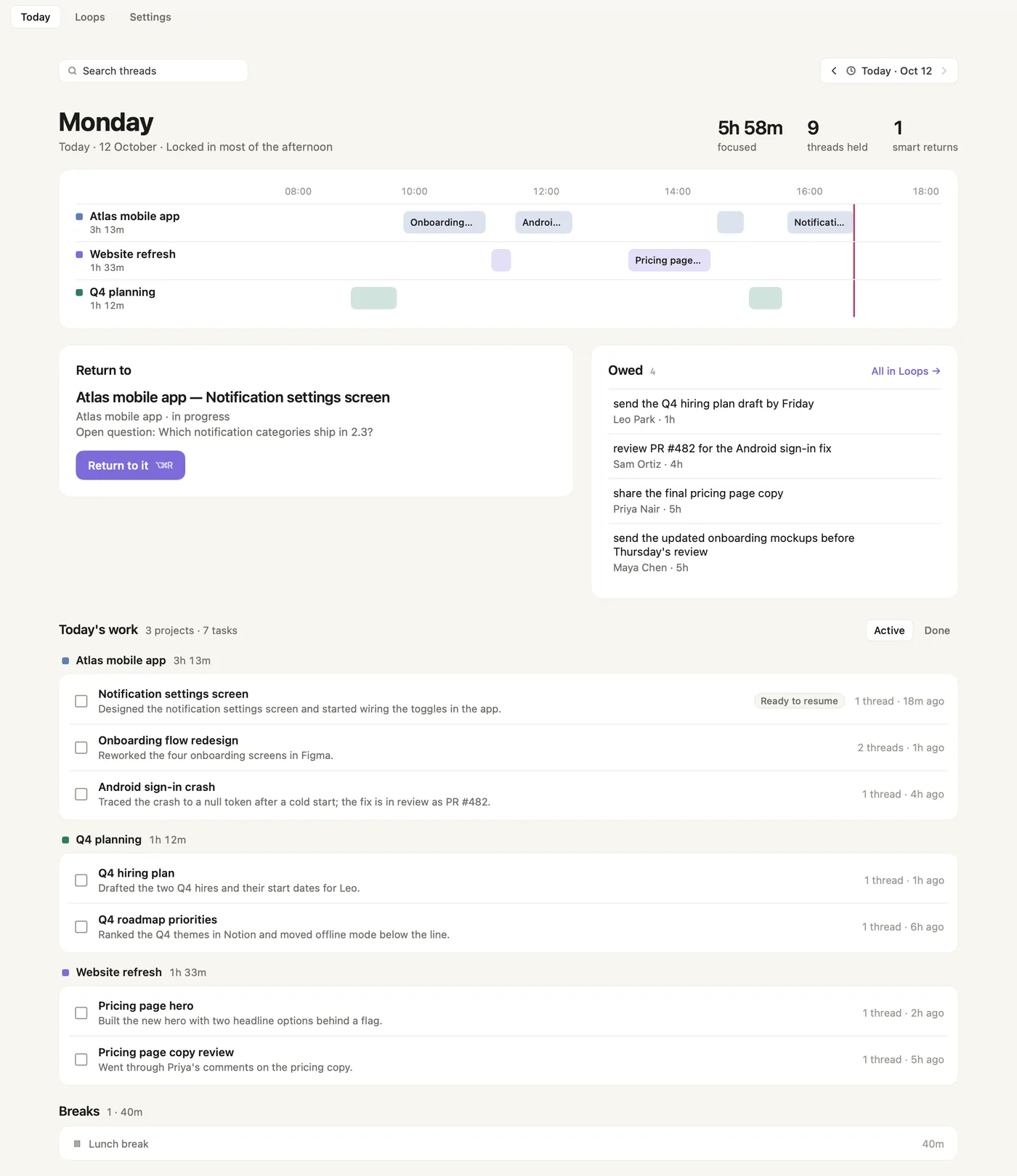
- Today · Loops · Settings. The main window's three tabs.
- Search threads. Finds a past thread by its words.
- Day navigator. ‹ and › step through earlier days and back to today.
- The day and its shape. The weekday, the date, and one line on how the day went, such as "Locked in most of the afternoon".
- Focused, threads held, smart returns. Time you spent focused, how many threads Recall is holding for you, and how many times you came back with Smart Return.
- Project lanes. One lane per project, with its total time today.
- Thread blocks. Each block is a thread, placed on the hours it ran. Click one to open its thread page.
- Now line. The red line marks the current time.
- Return to. The thread you are most likely to want back, with its project, status and open question. Return to it opens its thread page. ⌥⌘R shown beside it opens Smart Return from anywhere.
- Owed. What people asked you for and what you promised in chats, with how long ago. All in Loops → opens the full list.
- Today's work. Today's tasks grouped by project, with the number of projects and tasks.
- Active / Done. Switches between tasks still open and tasks you finished.
- Project heading. The project's colour and its time today.
- Tick box. Marks the task done. Each row shows the task name, a one-line summary, and how many threads it has and when you last touched it.
- Ready to resume. This task has a thread you can go straight back to.
- Breaks. Breaks Recall noticed, kept apart from your work time so you can see where the day went.
Screenshots show a fictional demo day. All people, projects and messages are made up.