Projects and threads
Recall finds projects from the work itself: a repo, a document, a site, the people you talk to about it. Names are the ones people would use, such as a repo's name or "deel.com". You can rename, merge and archive projects, and move anything to another project.
The project page
Click a project name on Today, or choose Open project page in Loops.
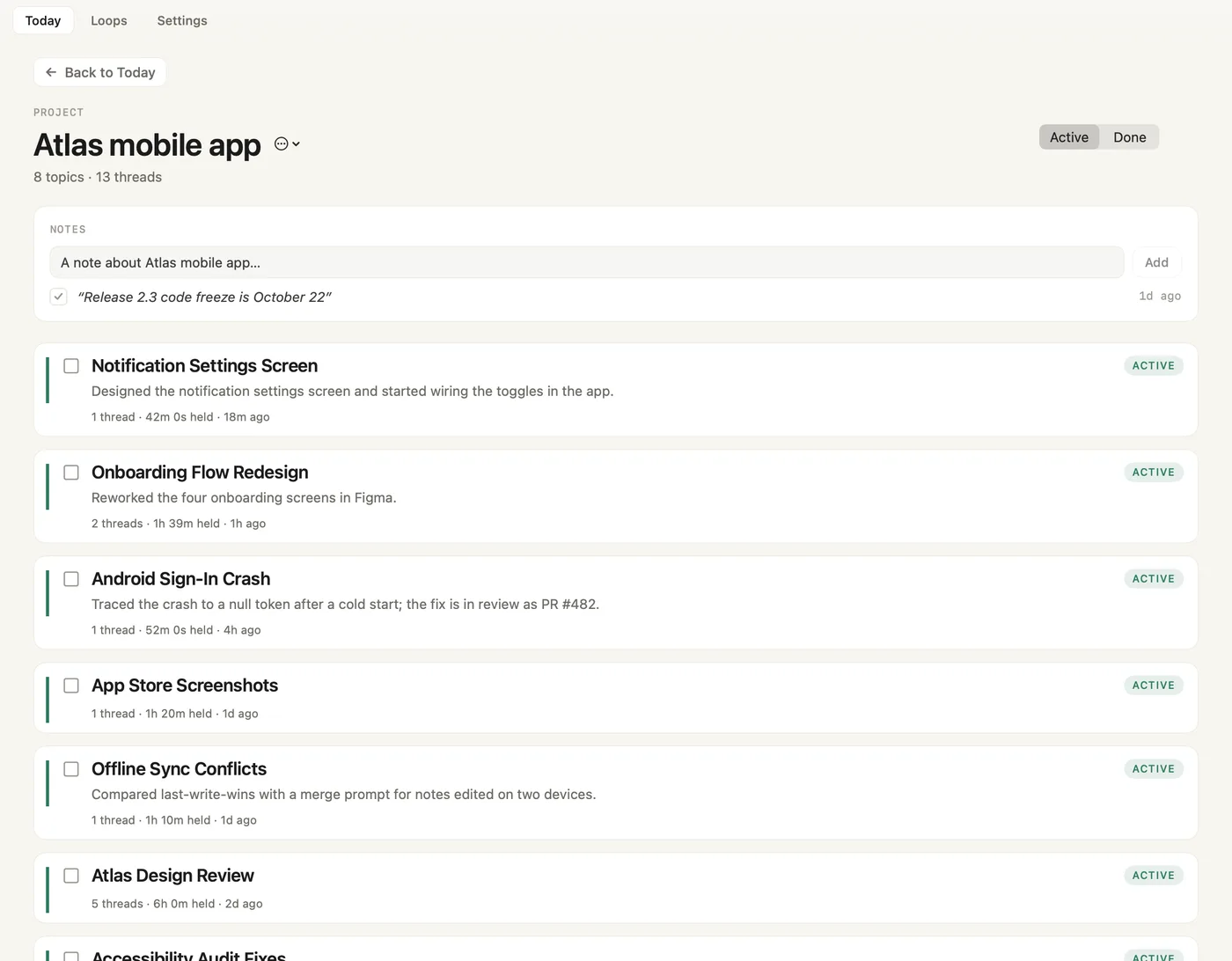
- Back to Today. Returns to the Today tab.
- Project name and ⋯ menu. Rename, merge or archive the project. A name you give it stays; Recall never renames it after that.
- Topics and threads. How many tasks (listed as topics) and threads the project holds.
- Active / Done. Shows open tasks or finished ones.
- NOTES. Add a project note and press Add.
- Open project note. Tick it to archive it.
- A task. Tick to mark it done. Click it to list its threads.
- ACTIVE. The task's status.
- Threads, time, last touched. How many threads, the time spent and when you last worked on it.
Each task row also has a move icon for Move to project…. If Recall merged two tasks, the project page offers Undo for 14 days.
The thread page
Click a thread anywhere (a timeline block, a task, a note) to open its page.
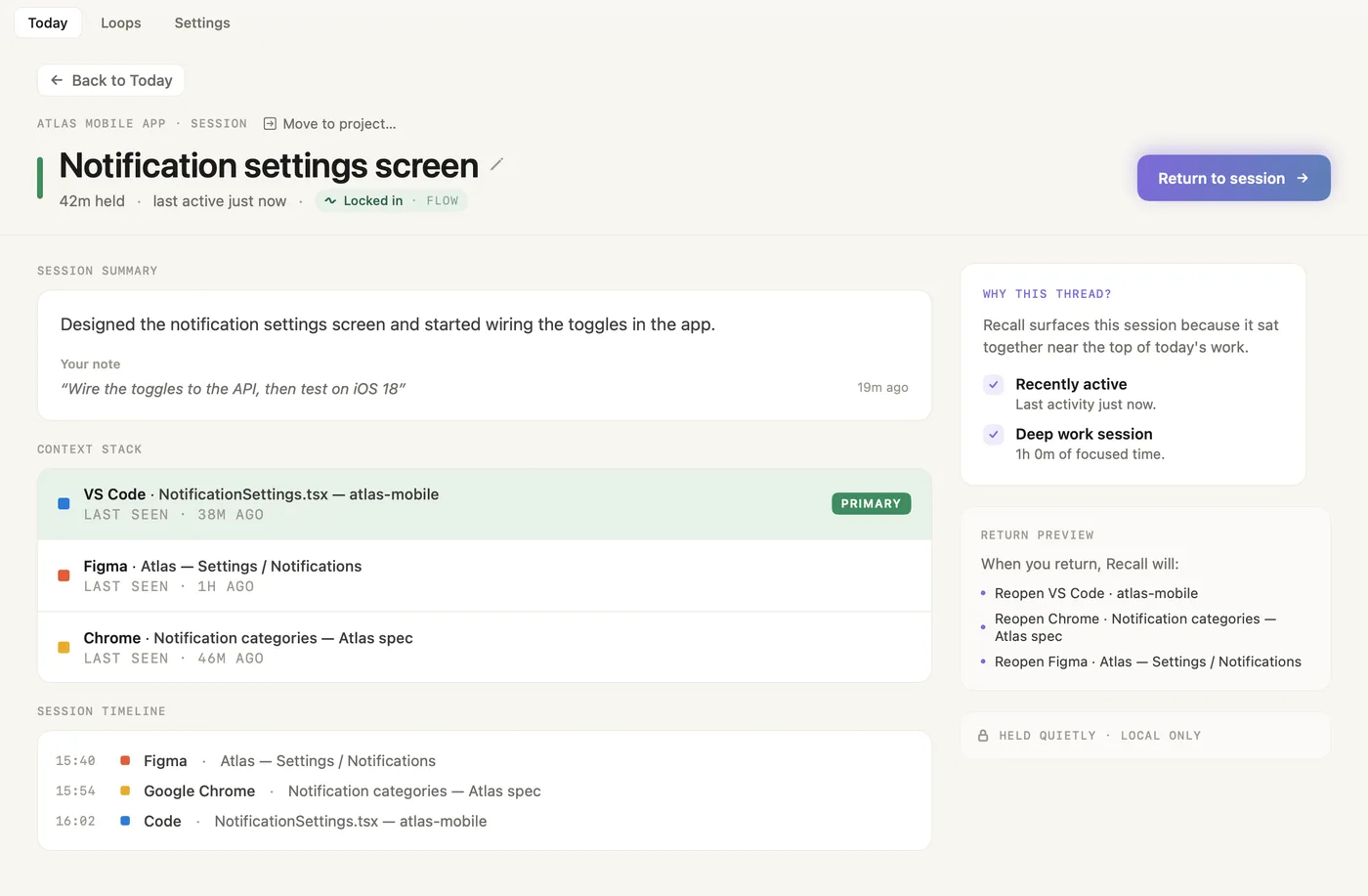
- Project and Move to project… Where the thread is filed, and the picker to file it elsewhere.
- Title and pencil. Click the pencil to rename the thread.
- Time and pace. Time held, when it was last active, and how the session went.
- Return to session. Shows the restore checklist for this thread.
- SESSION SUMMARY. What was done, and your note with its age.
- CONTEXT STACK. The windows of this thread and when each was last seen.
- PRIMARY. The window you were last on. It comes to the front when you return.
- SESSION TIMELINE. When each app and window came up.
- WHY THIS THREAD? Why Recall offers this thread, for example recently active or a deep work session.
- RETURN PREVIEW. What returning will reopen.
- HELD QUIETLY · LOCAL ONLY. All of this stays on your Mac.
Move to project
One picker re-files anything: a task or thread on Today, the project page or a thread page, and every Loops row, including asks, agent sessions and notes.
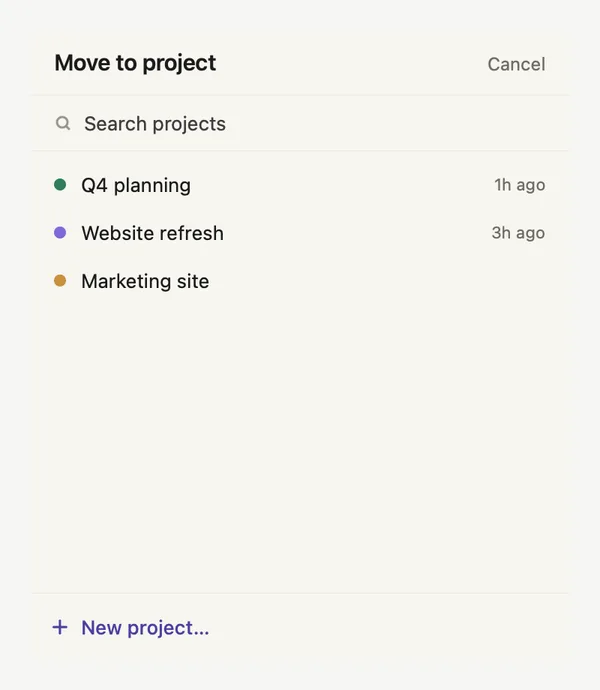
- Move to project, Cancel. Cancel closes the picker and moves nothing.
- Search projects. Type to filter.
- Active projects. The project with the newest work comes first. The item's current project is not listed.
- Last filed. When work was last filed to each project.
- New project… Creates a project with the name you type and moves the item into it.
What Recall learns from a move
- A task or thread stays where you put it. If one repo or document clearly made up that work, it files itself to that project from now on.
- Recall doesn't learn from things that were only on screen nearby, and it won't move a repo that is the core of another project. The item itself still moves.
- An agent session files its whole repository under the project.
- An ask files that person's other open asks in the same app, and their new ones.
- A project note moves to the new project.
- Moving it again replaces the earlier choice.
Screenshots show a fictional demo day. All people, projects and messages are made up.