DocsSection 2
The menu bar tray
Click Recall's icon in the menu bar to open the tray. It always shows today, in the same order: your time, what is waiting on you, and what you worked on. The icon itself never changes.
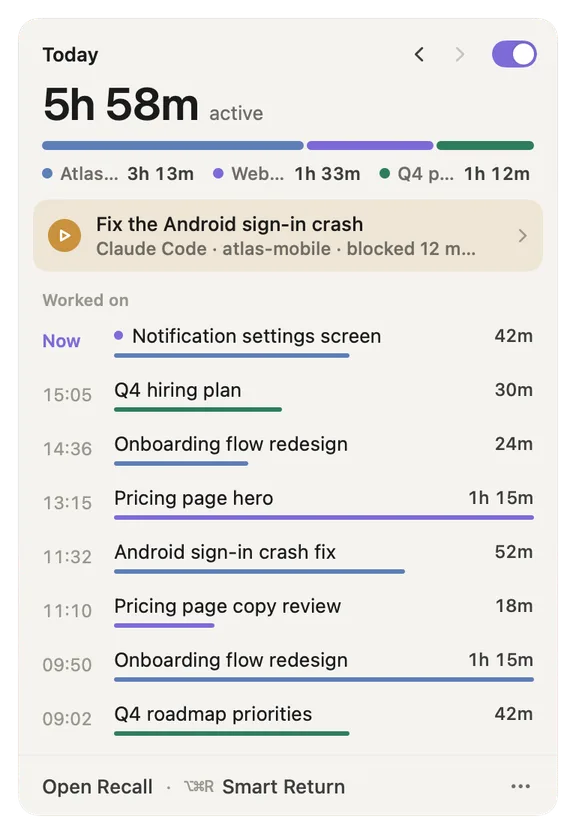
- Today and the arrows. ‹ steps back one day, up to six days. › steps forward again. The tray always opens on today.
- Recall is on. Click the switch to pause Recall. Choose Pause for 15 minutes, 1 hour, 3 hours, the rest of the day, or Pause until I resume.
- Active time. How long you actually worked today. Time away from your Mac never counts, even if the Mac stayed awake.
- Split by project. The bar and the legend show how that time divides between projects, in each project's colour.
- Waiting on you. One line led by the most urgent thing: a coding agent blocked on your approval, then people's asks and your promises, then agents that finished, then your own notes. Click it to see the whole list in the tray. Shown on today only, and only when something is waiting.
- Now. The thread you are in right now and how long you have been on it. Click it to leave a note.
- Worked on. Today's threads, newest first, with the time each started, a bar in its project's colour and its active time. Hover to see Resume; click to go back to it (Recall first shows what it will reopen).
- Open Recall. Opens the main window.
- ⌥⌘R Smart Return. Opens Smart Return. The shortcut works from anywhere.
- ⋯ menu. A menu with every command and its shortcut: Leave a Note… (⌥⌘B), Smart Return (⌥⌘R), Loops, Notes, Send Feedback…, Settings… (⌘,) and Quit Recall (⌘Q). A dot on the button means the Recall team replied to you.
Looking back at an earlier day
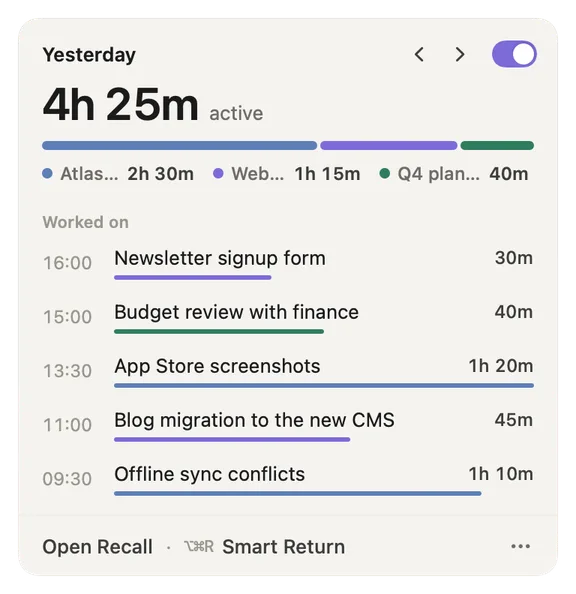
- Yesterday, with both arrows. The day you are looking at. › brings you forward to today.
- Worked on. That day's threads and times. "Waiting on you" is not shown for past days, because it is always about now.
When Recall is paused
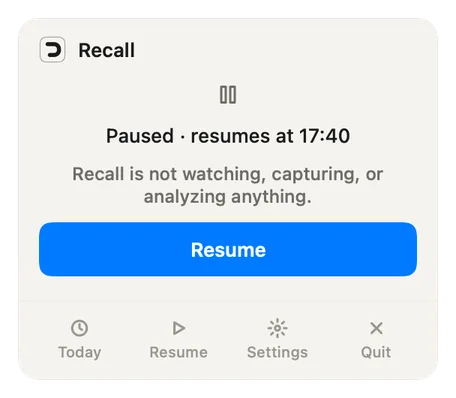
- Paused, resumes at. When Recall turns itself back on. While paused, Recall is not watching, capturing or analysing anything.
- Resume. Turns Recall back on now.
- Today · Resume · Settings · Quit. Open the Today page, resume, open Settings, or quit Recall.
Screenshots show a fictional demo day. All people, projects and messages are made up.