DocsSection 12
Feedback
Report a problem or suggest a feature from the tray's ⋯ menu (Send Feedback…) or Settings → About. Every message becomes a conversation, and the Recall team answers inside the app.
Report a problem
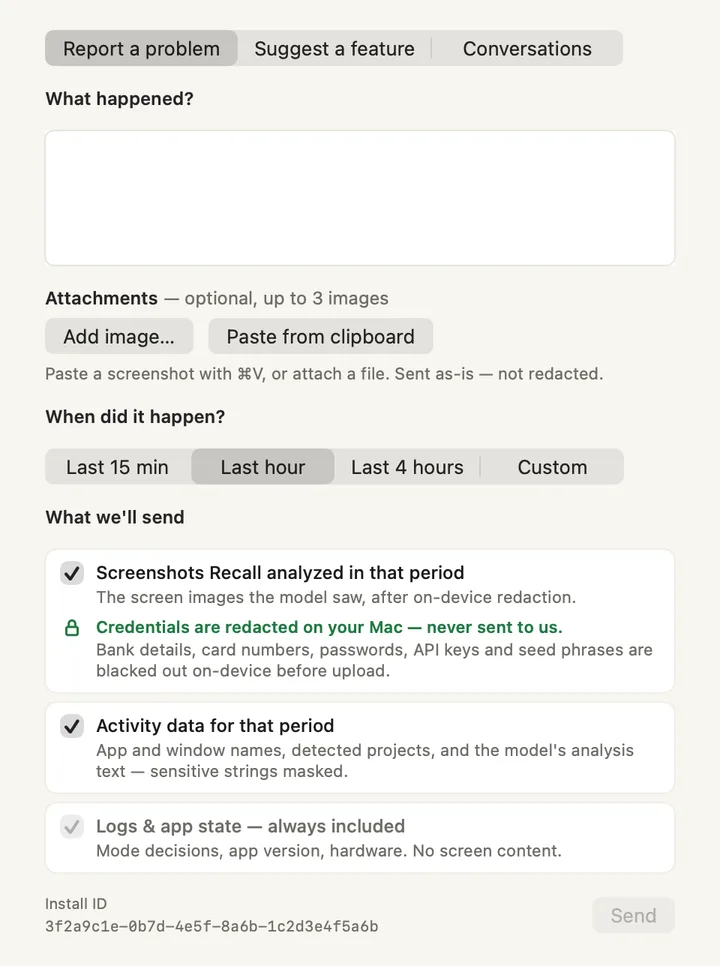
- Report a problem · Suggest a feature · Conversations. The three tabs, available from every screen of the window.
- What happened? Describe the problem in your own words.
- Attachments. Up to three images: Add image… or Paste from clipboard. Images are checked on your Mac before upload and sensitive details are blacked out; an image that can't be checked isn't sent.
- When did it happen? Last 15 min, Last hour, Last 4 hours, or Custom (a day and up to four hours).
- What we'll send. Screenshots Recall analysed in that period (after redaction on your Mac: bank details, card numbers, passwords, API keys and seed phrases are blacked out), and activity data for that period (sensitive strings masked). Screenshots can be included only while diagnostics sharing is on: otherwise Recall keeps no screenshots on your Mac, so there are none to send. Untick either one; Recall warns if that might make the problem hard to fix.
- Logs and app state. Always included: Recall's decisions, app version and hardware. No screen content.
- Install ID. The random ID of your Mac's install, so the team can find your report.
- Send. Active once you have written something.
Suggest a feature
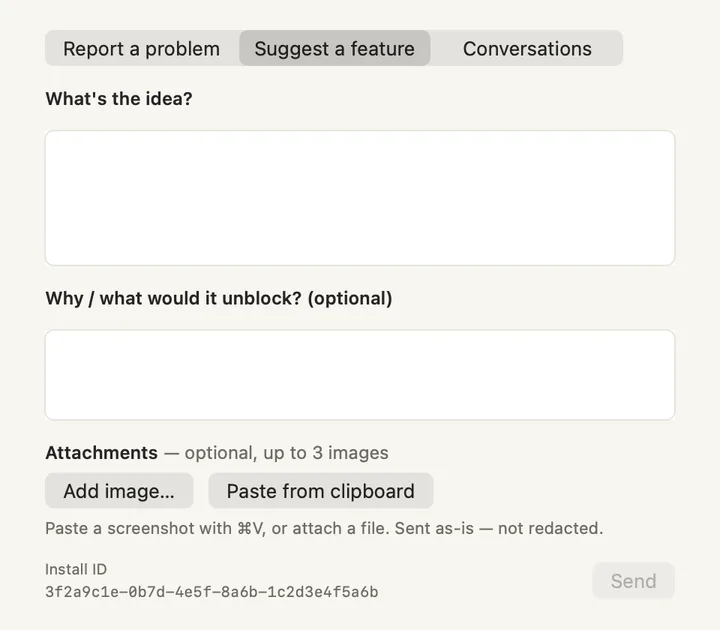
- What's the idea? Describe it.
- Why / what would it unblock? Optional.
- Attachments. Optional images, checked the same way.
- Send. Starts a conversation.
Conversations
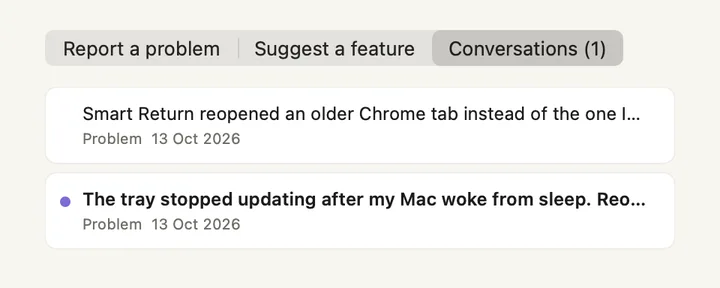
- Conversations (1). The number is how many have an unread reply.
- A conversation. Its first line, its kind (Problem or Idea) and date.
- Purple dot. The team replied and you haven't read it yet.
- Kind and date. When you sent it.
One conversation
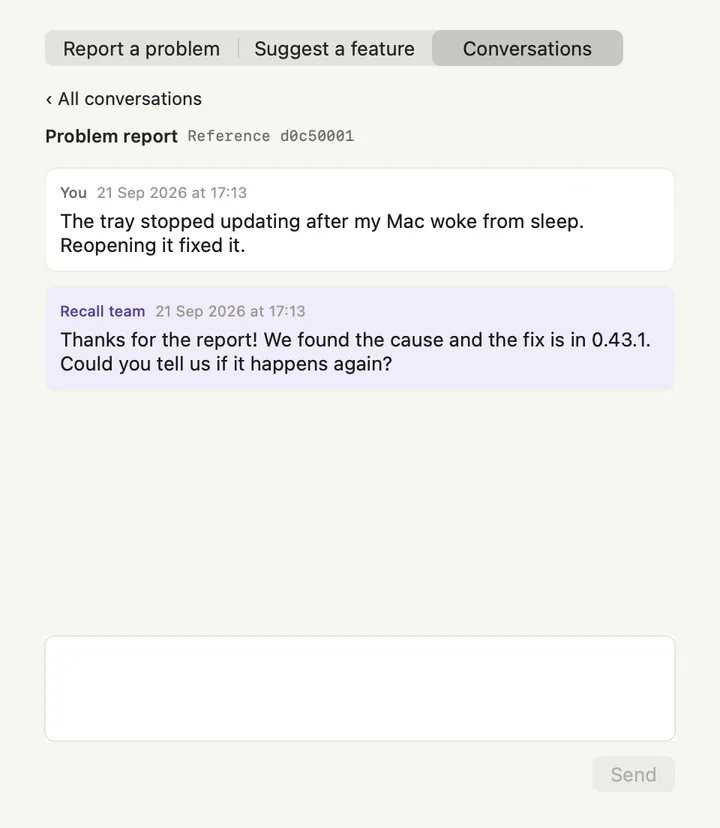
- All conversations. Back to the list.
- Problem report and reference. The kind of message and its reference number.
- Your message. With the date you sent it.
- Recall team. The team's reply, tinted.
- Reply box. Write back here.
- Send. Sends your reply.
Screenshots show a fictional demo day. All people, projects and messages are made up.