Loops
Loops is a page of lists, like Reminders. It holds everything still open: people waiting on you, coding agents, your notes, and work you left unfinished. Open it from the main window's Loops tab or the tray's ⋯ menu.
What counts as unfinished work
Recall is strict, because unfinished work is a guess. A task shows up only if it has an open question, you spent at least 15 minutes on it (or came back to it at least twice), you touched it in the last 30 days, and you left it at least 12 hours ago. Very similar loops in one project fold into one row marked "+N similar", and each project shows its five strongest. Counts are people, agents and your notes; unfinished work never raises the Waiting count.
Waiting
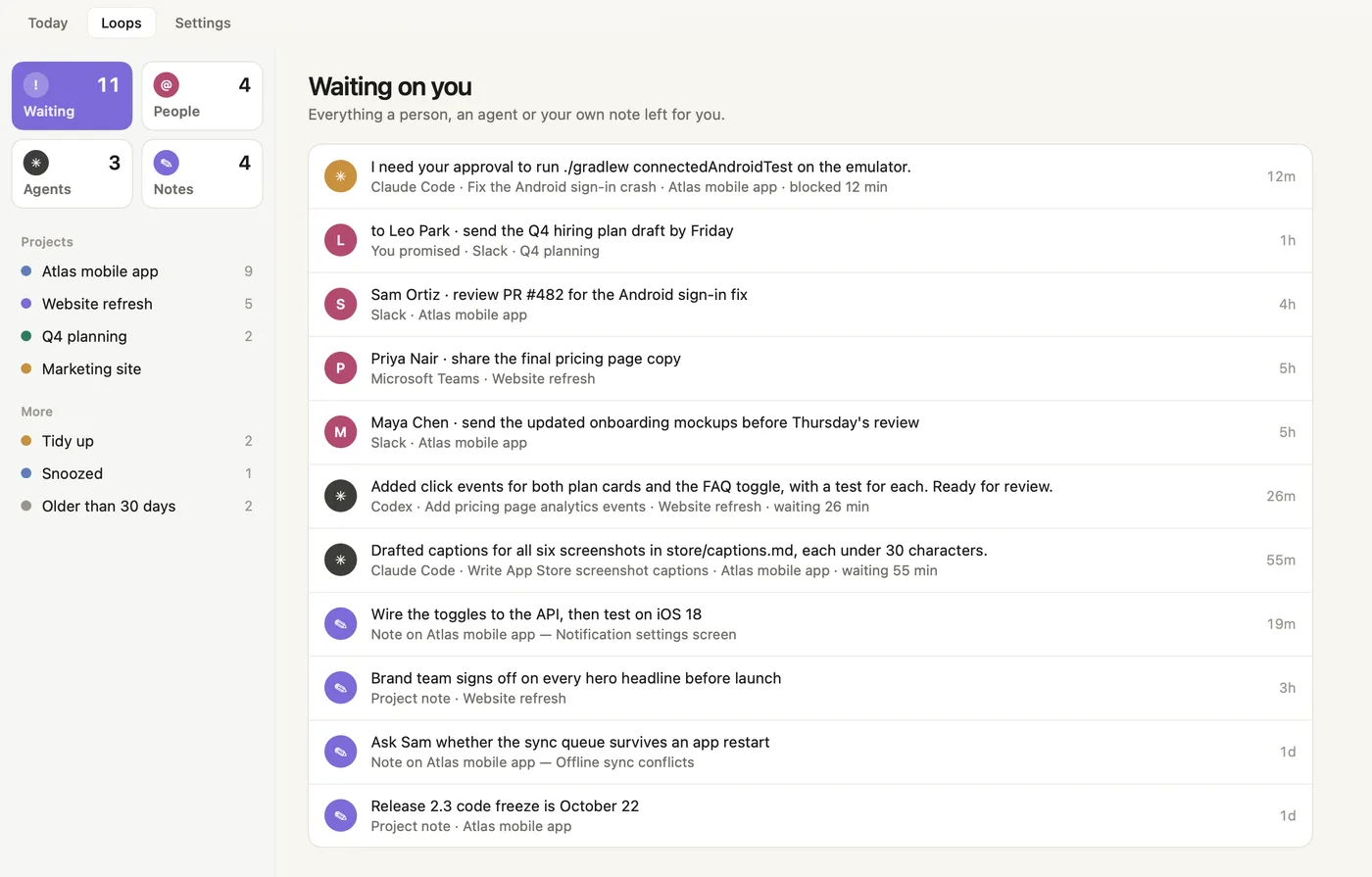
- Waiting, People, Agents, Notes. The four smart lists, each with its count. Waiting holds everything from the other three.
- Projects. One list per project, with how many things are open in it.
- More. Tidy up, Snoozed and Older than 30 days.
- Waiting on you. Everything a person, an agent or your own note left for you.
- Blocked agent. Always first, in amber: a coding session that needs your approval, with the tool, session, project and how long it has been blocked.
- Your promise. "to Leo Park": something you promised, with the app and project.
- Asks. What people asked you for, newest first.
- Finished agents. Sessions that finished their turn, showing their closing message.
- Notes. Thread notes and project notes you left, newest first.
- Age. How long each item has been waiting.
The People, Agents and Notes lists are described in Asks and promises, Coding agents and Notes.
A project's list
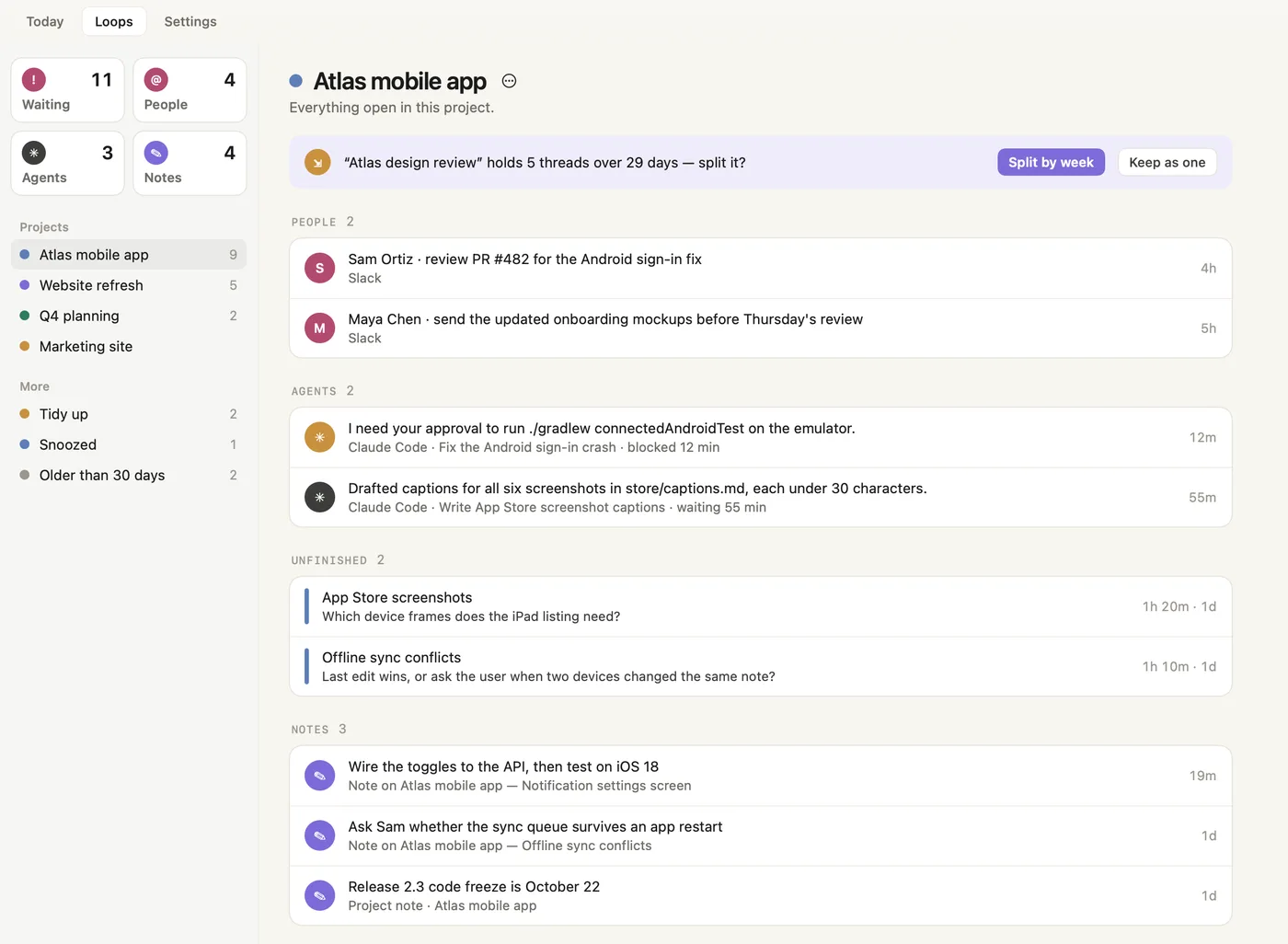
- Project name and ⋯ menu. The menu has Open project page, Rename…, Merge into… and Archive…. You can also right-click the project in the sidebar.
- Split suggestion. Recall thinks one task has grown too big to return to.
- Split by week, Keep as one. Split it into one task per week (you can undo this from the project page), or keep it. Recall won't ask again about a task you kept.
- PEOPLE. Asks and promises filed under this project.
- AGENTS. Coding sessions working in this project.
- UNFINISHED. Work you left with an open question, with time spent and when you left it. Hover for Resume.
- NOTES. Notes left on this project's threads, and notes on the project itself.
- The selected project. Highlighted in the sidebar.
Tidy up
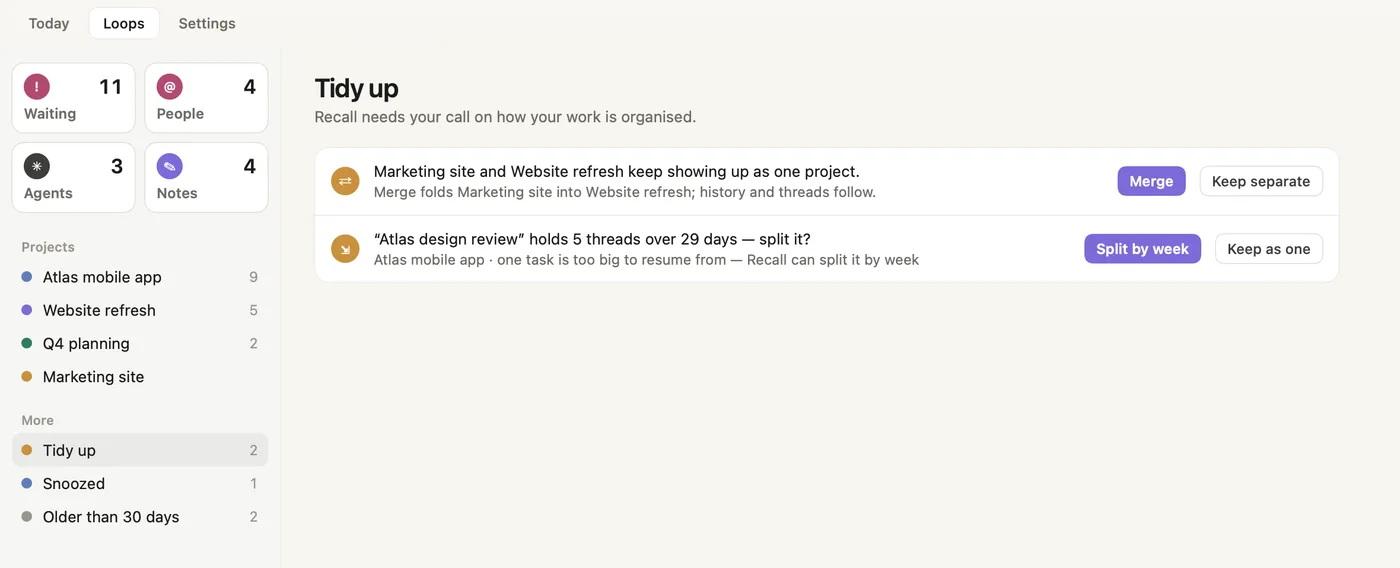
- Merge suggestion. Two projects keep showing up as one. Merging folds the first into the second; its history and threads follow.
- Merge, Keep separate. Your call. A pair you keep separate is never suggested again.
- Split suggestion. A task spans many threads over many weeks.
- Split by week, Keep as one. Same choice as in the project's list.
- Tidy up count. How many decisions are waiting.
Snoozed
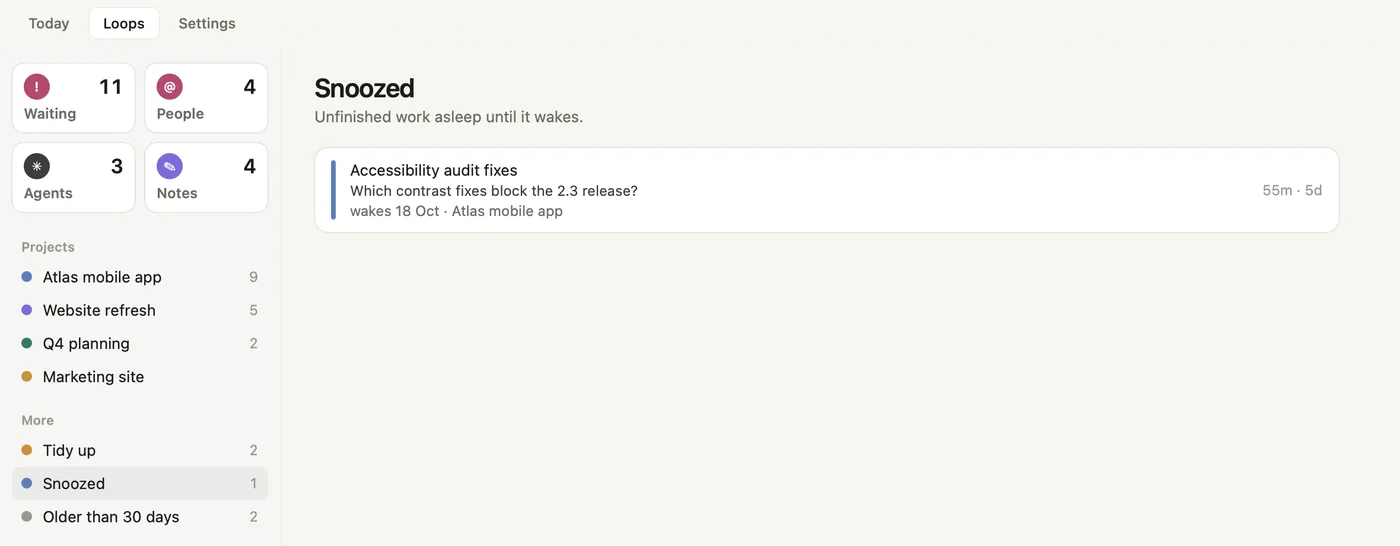
- Snoozed work. Its name and open question.
- Wakes. When it comes back to its lists, and its project.
- Time and age. Time spent, and how long ago you last touched it.
Older than 30 days
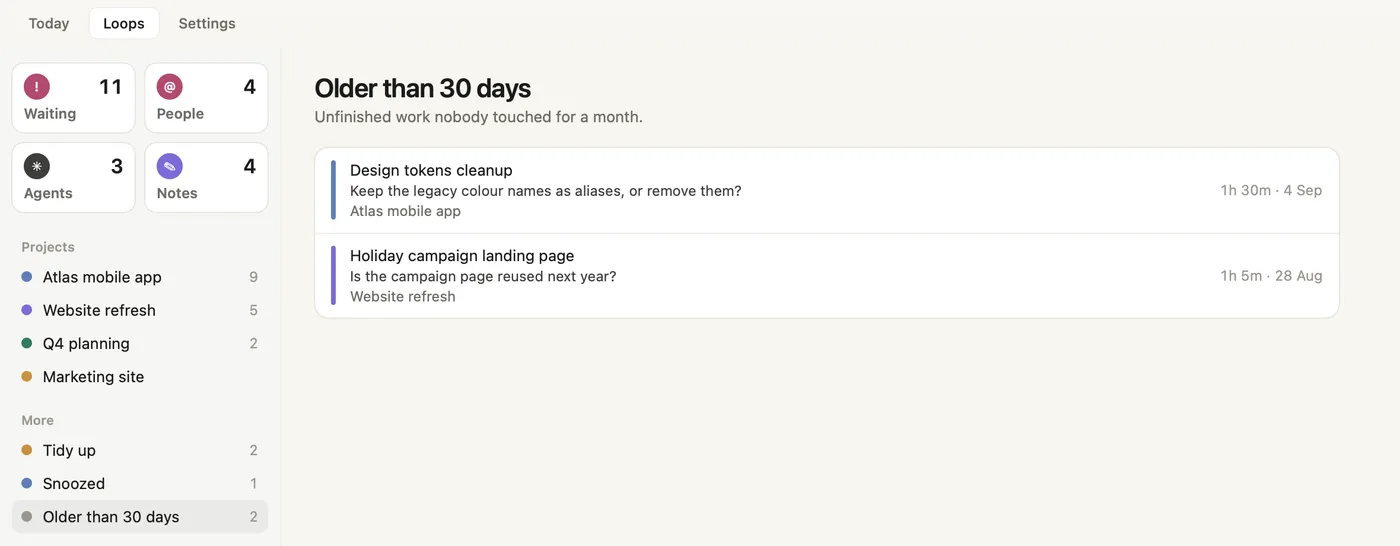
- Old unfinished work. Nobody touched it for a month, so it moved out of the way. It isn't lost.
- Time and last date. Time spent and the last day you worked on it.
Row actions
Hover a row to see its main action and a ⋯ menu. Every menu ends with Move to project….
| Row | Main action | ⋯ menu |
|---|---|---|
| Ask or promise | Open chat | Done · Snooze (Tonight, Tomorrow, Next week) · Not a commitment · Move to project… |
| Coding agent | Go to session | Seen · Dismiss · Move to project… |
| Unfinished work | Resume | Done · Let go · Snooze (Tonight, Tomorrow, Next week) · Move to project… |
| Note | Edit | Done · Remove · Move to project… |
Screenshots show a fictional demo day. All people, projects and messages are made up.