Smart Return

Return to the actual work, not just the app.

Smart Return hands back the thread you were holding: where you left off, the note you left, and exactly what will reopen. Under it, one list of everything waiting on you.
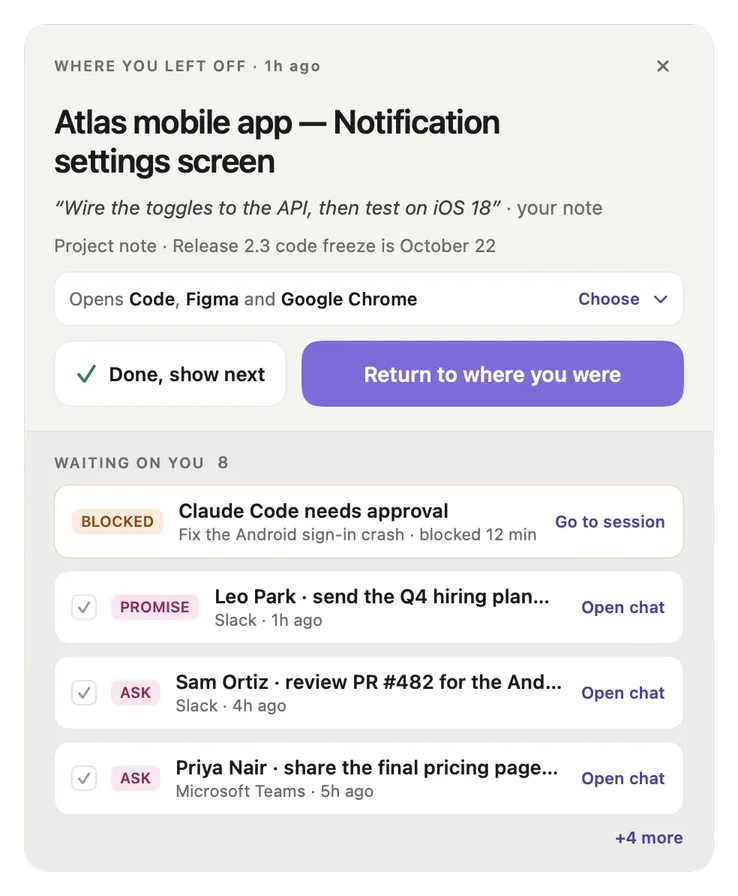
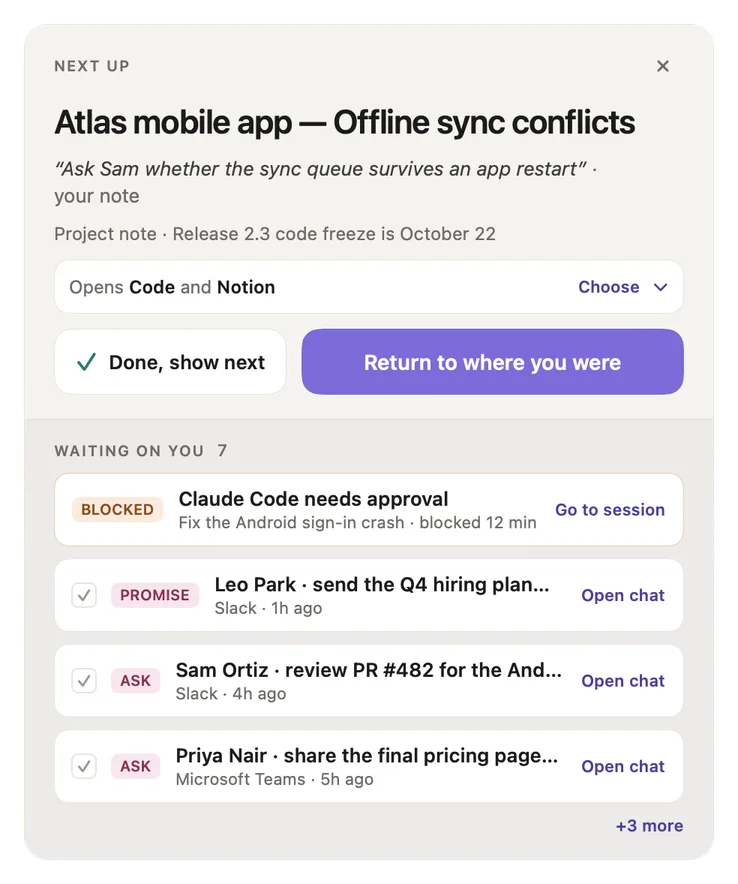
Smart Return with the card on top and the Waiting on you list below
When it appears

It is there when you come back.

On its own, or whenever you ask.

A small panel at the bottom right of your screen. It never takes your keystrokes, so you can keep typing where you were.
After a break
On its own, with the thread you were in before you left.
When you drift far
On its own, so you can get back to the thread you were on.
Whenever you ask
Option Command R from anywhere, or Smart Return in the tray.

To stop it after breaks, turn off Settings → Nudges → Smart Return. Option Command R still works.

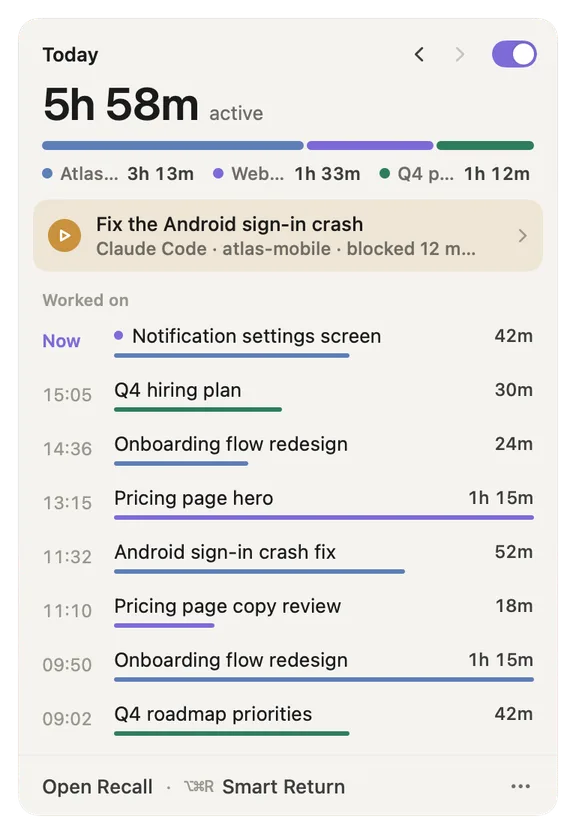
The menu bar tray showing today, with Smart Return and its shortcut at the bottom
Smart Return sits at the foot of the tray, next to its shortcut.
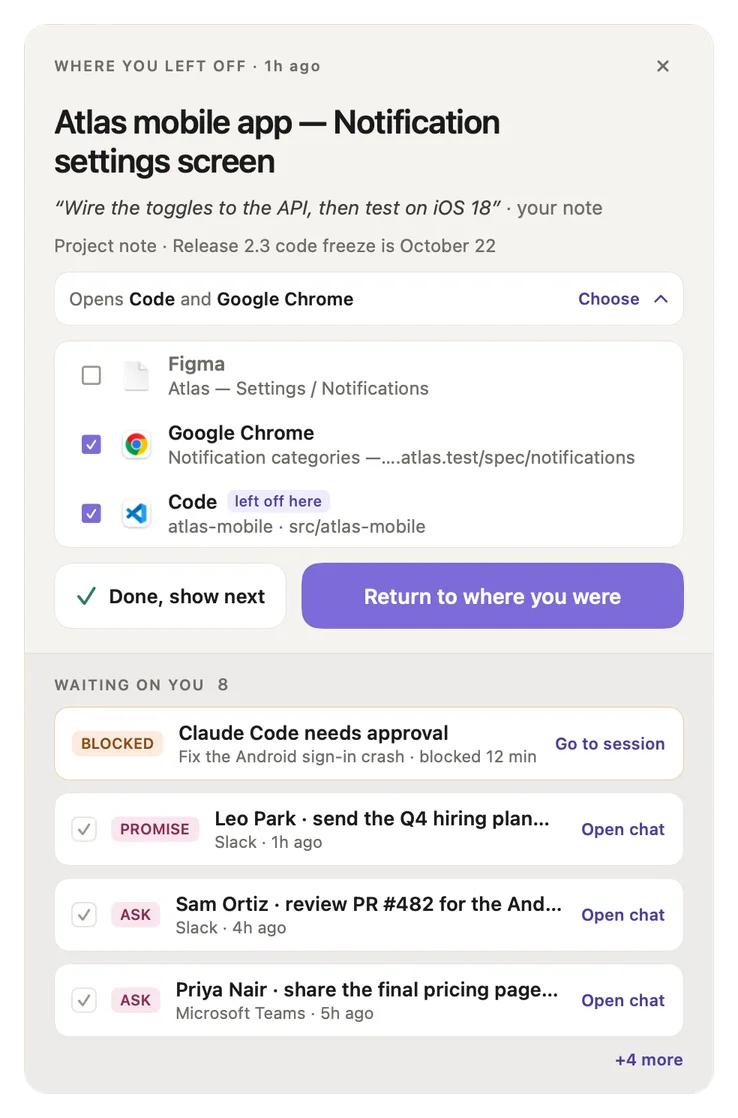
The card

One card, and the thread is back in your hands.

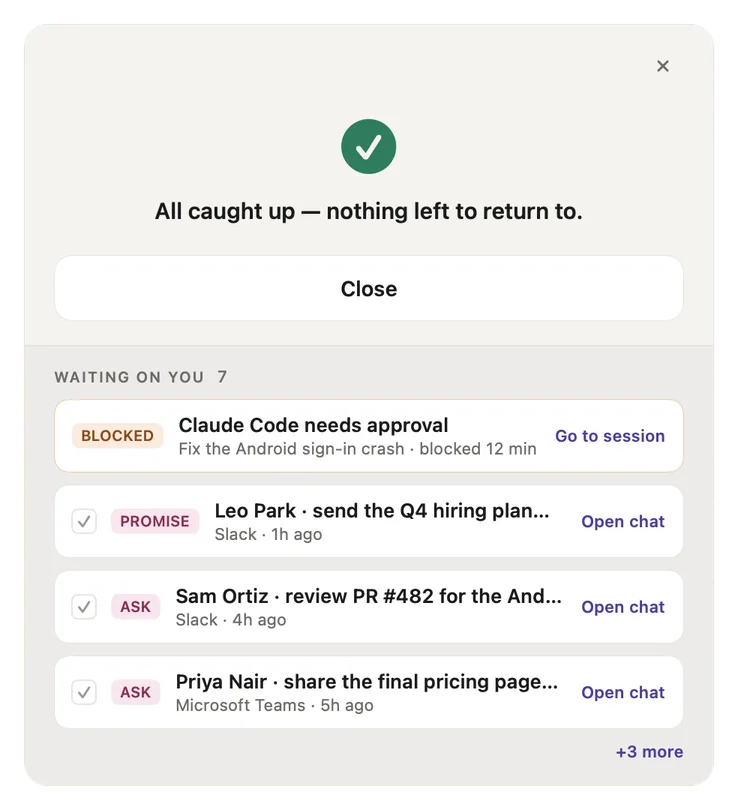
It leads with your note and shows exactly what will reopen.

Smart Return with the card on top and the Waiting on you list below
Where you left off

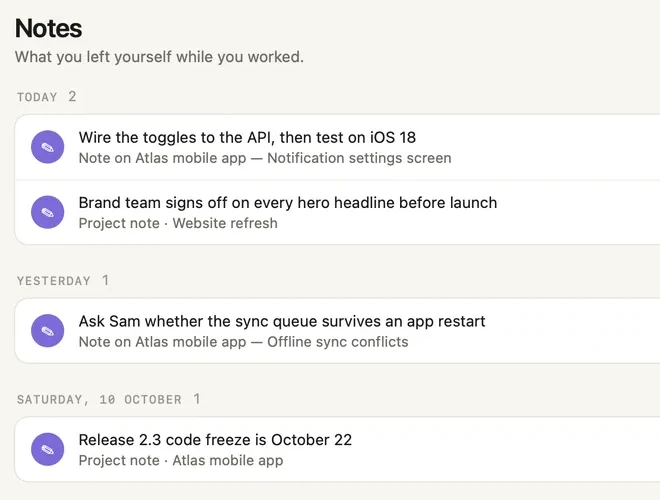
Your note comes first

The thread, the line you left with Option Command B and the newest project note. No note? It shows the question you left open.
Smart Return with Choose unfolded: Figma unticked, Google Chrome and Code ticked, Code marked left off here
Choose

Untick anything first

Apps, tabs, files and coding-agent chats, all ticked. Return to where you were reopens what stays ticked, in one click.
Smart Return after Done, show next, with the next thread you left a note on
Next up

Done, show next

Done moves the card to the next thread you left a note on, however old. A note always wins over a guess.
Going back to work

Every way back shows what it opens.

Ticked, before anything opens.

A row in the tray, Resume in Loops, Return to session on a thread page, Recall me on a drift reminder, Open chat on an ask: each one shows this list first. The item you were last on opens last, so it ends up in front. Cancel changes nothing.

Had a Claude Code or Codex chat open on that thread? That exact chat comes back too, and Recall never opens a second terminal next to the one already running it.
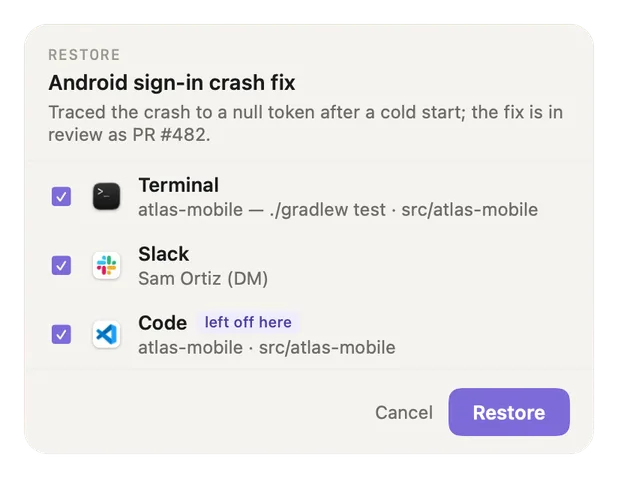
The restore checklist for a thread, listing Terminal, Slack and Code, all ticked, with Code marked left off here

What comes back, app by app

Chrome, Safari, Arc, Firefox, Brave, Edge
The tab you were on, only that tab
VS Code, Cursor, Windsurf
The workspace folder you were in
JetBrains IDEs
Your project, or the IDE itself
Xcode
The file you had open
Terminal, iTerm2
A new window in the folder you were working in
Obsidian
The vault and the note
Claude Code, Codex
The exact chat you had open
Figma, Slack and other apps
The app opens, you pick the file or channel
Going back to work, in the guide →
Waiting on you

One list, one action per row.

In the same order as the tray.

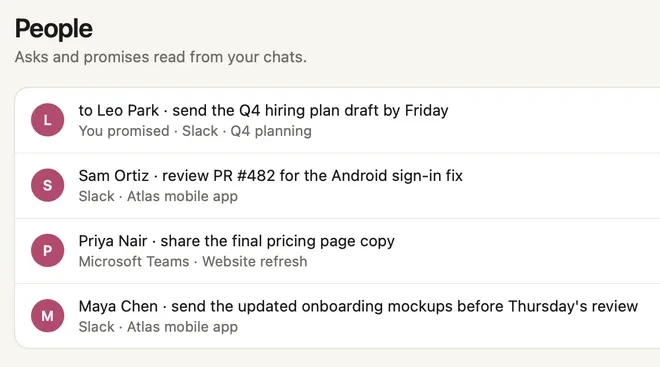
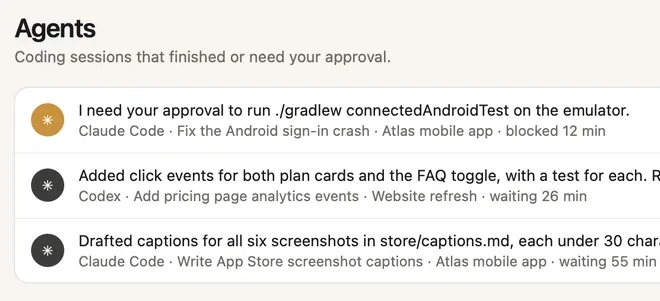
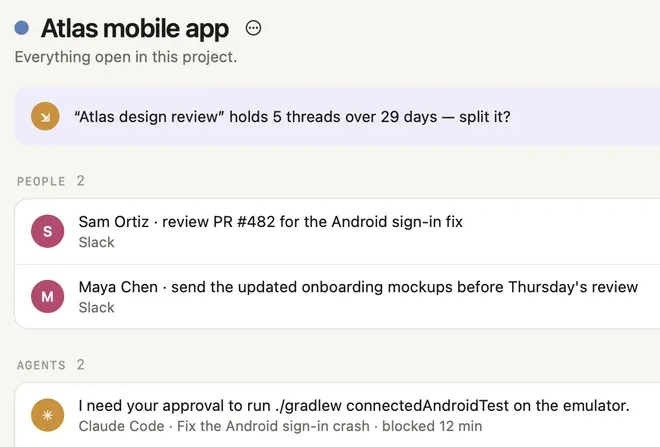
The tasks from your chats in Slack, Microsoft Teams, Telegram, WhatsApp or Mail, coding agents that need you, and the notes you left.
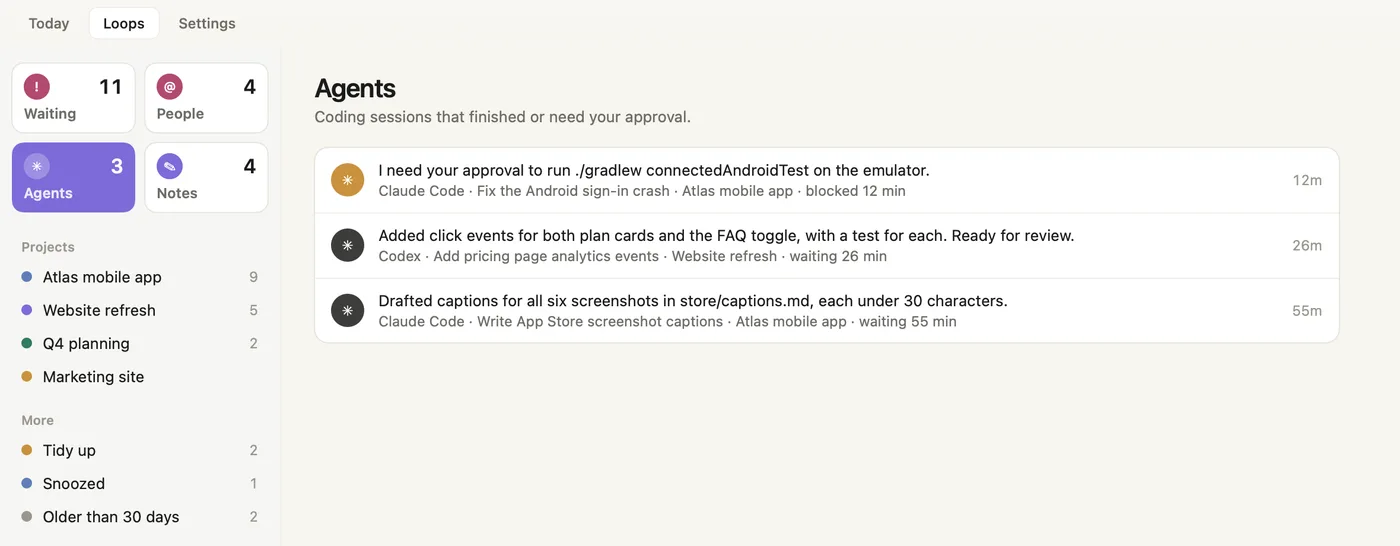
An agent needs approval
Go to session takes you to its tab. It always comes first.
Someone asked you
Open chat takes you to the conversation, or tick it done.
You said you would
Open chat, or tick it done.
An agent finished
Go to session. It waits for you and never nags.
A note on another thread
Return to it puts that thread on the card.
Smart Return showing All caught up, with people and a coding agent still waiting below
All caught up replaces only the card. The BLOCKED, PROMISE and ASK rows stay listed.
Loops

The whole list, in one place.

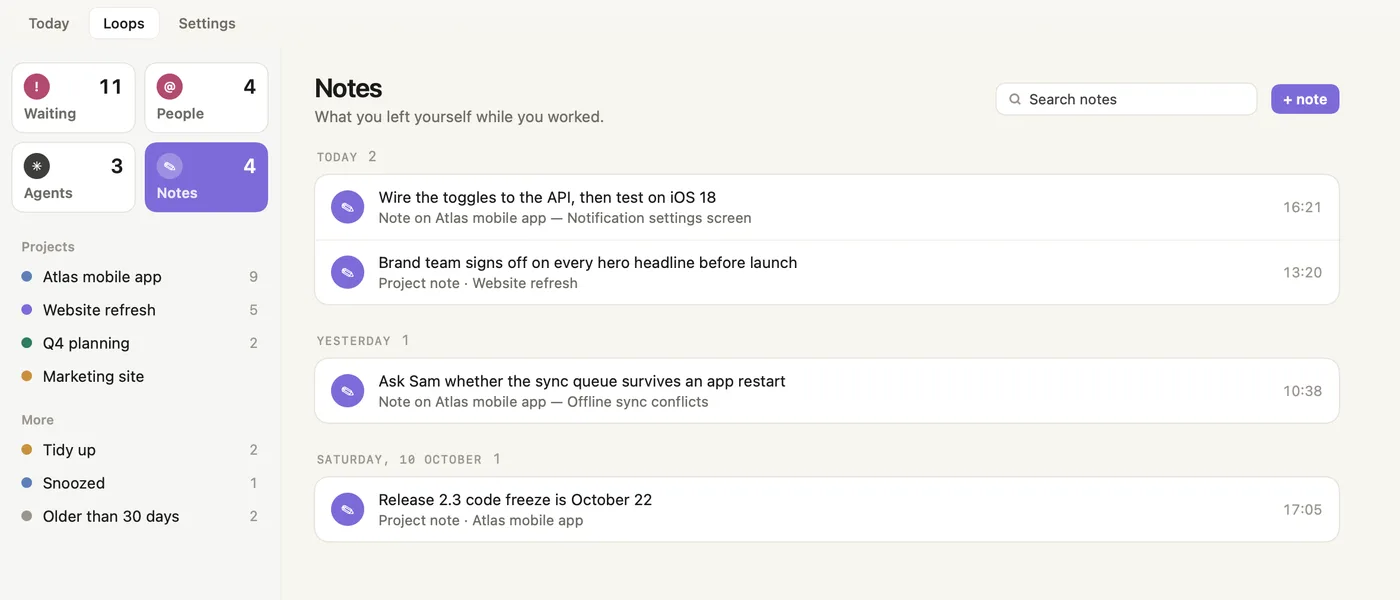
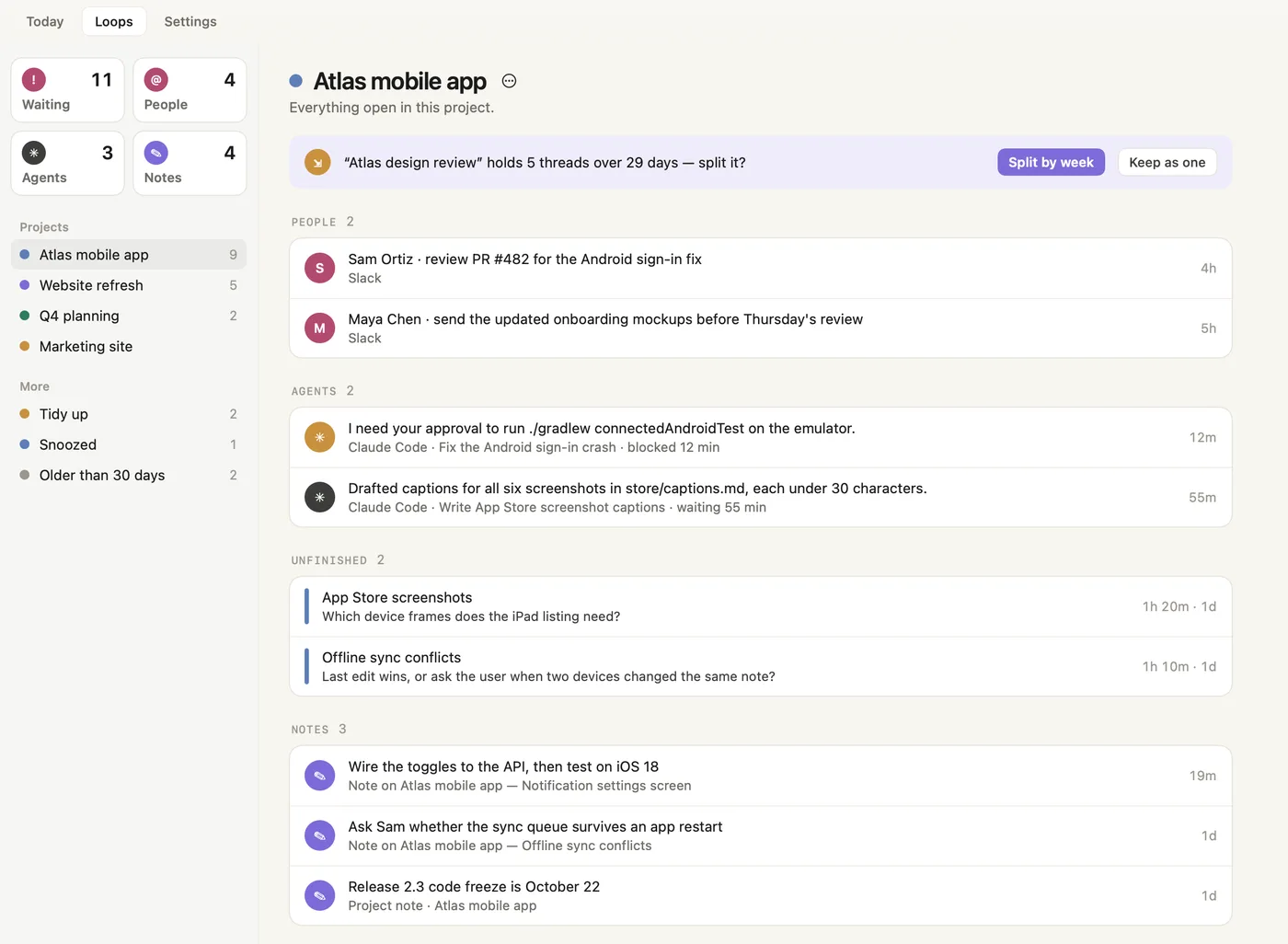
Smart Return shows the top of the list. Loops holds all of it, in lists like Reminders. Open the chat, go to the session or resume the work, and snooze what can wait.

Everything a person, an agent or your own note left for you.
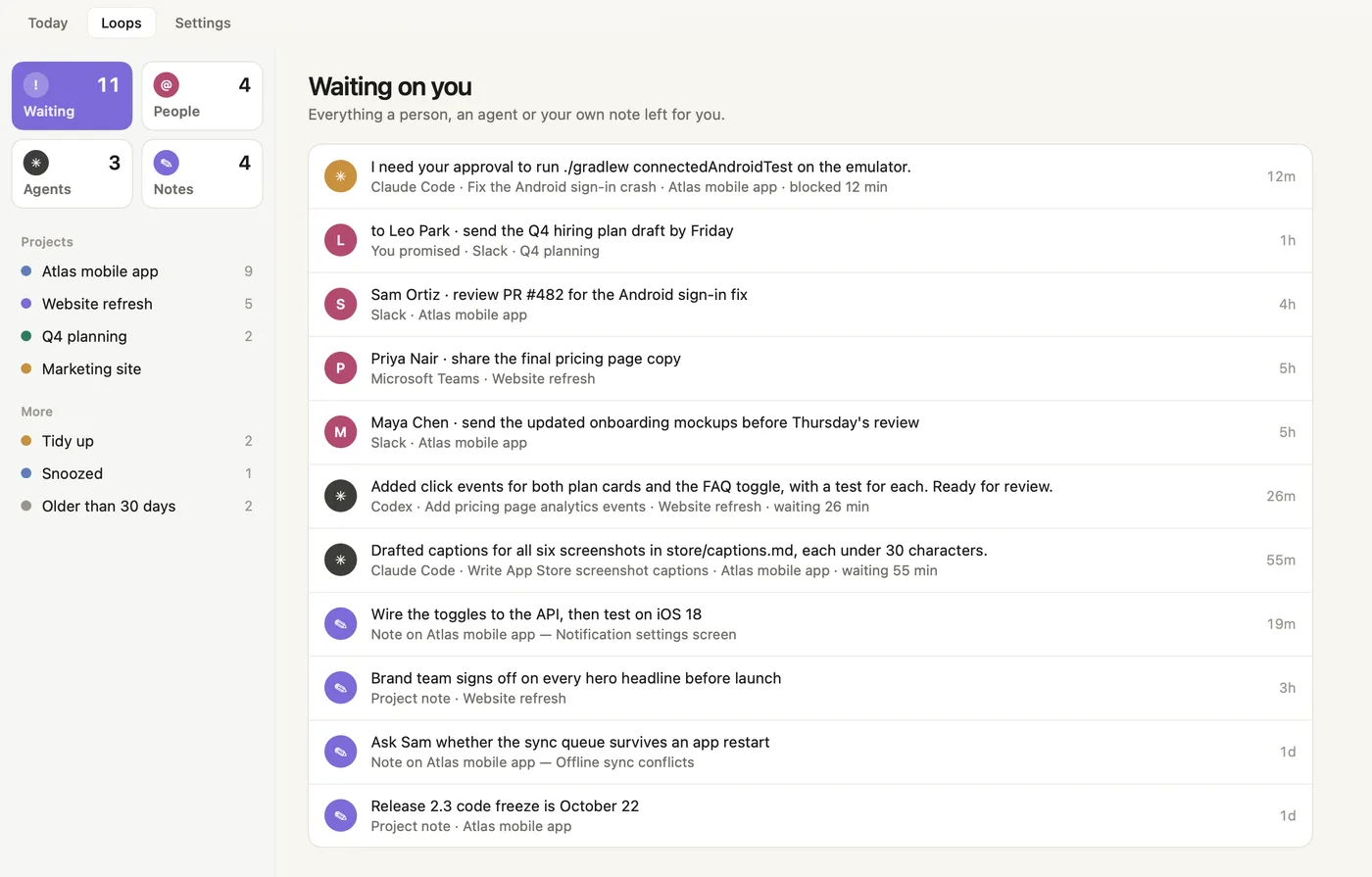
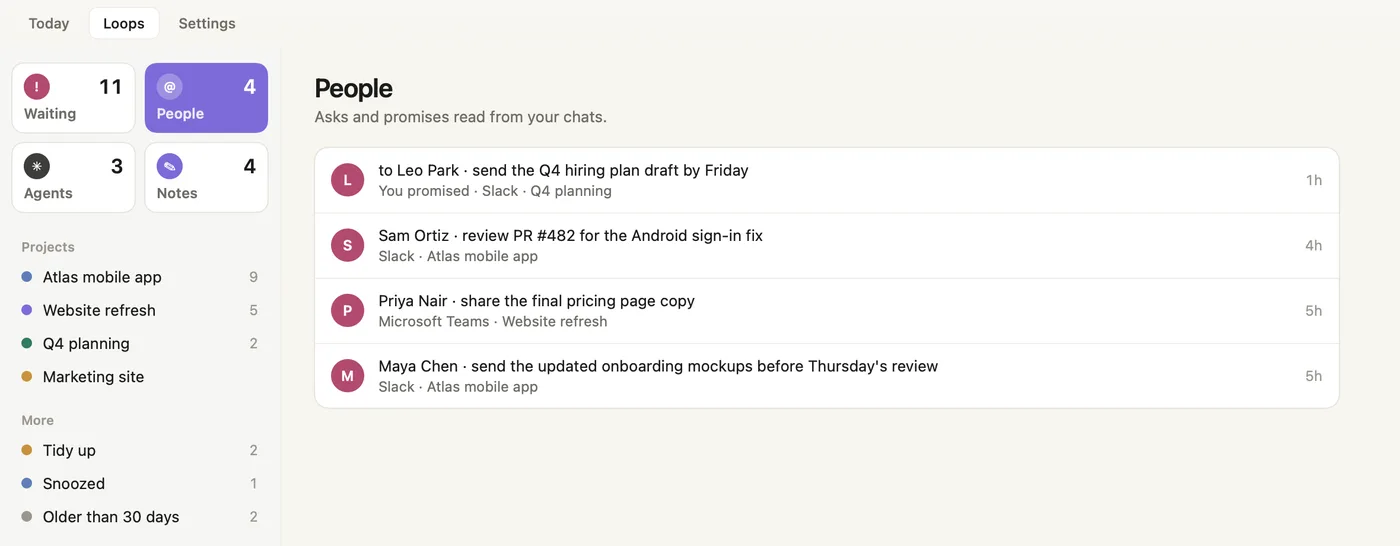
Recall Loops, Waiting on you: a coding agent blocked on approval, things people asked for in Slack and Teams, a promise you made, finished agent sessions and your notes, with the other lists in the sidebar

Everything a person, an agent or your own note left for you.
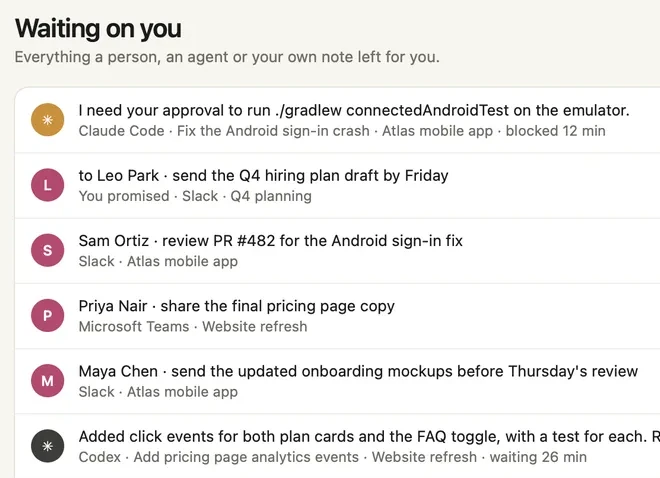
Loops, Waiting on you: a coding agent blocked on approval, a promise you made, things people asked for in Slack and Teams, and a finished Codex session

Pick up exactly where you stopped.

Recall holds the thread while life interrupts, then hands it back the moment you return.
Download for macOS
30-day free trialApple Silicon (M1+), macOS 14+Locked-in early-user pricing
Read the Smart Return guide →