Trust Center

What is on your screen stays on your Mac.

What Recall sees, keeps and sends, the third parties it uses and where it stands on compliance, in plain words.

Short answers

The four questions that matter.

Each one links to the control behind it, with how to check it yourself.

Not your work history. What you worked on, when and in which apps stays in one folder on your Mac and has no server copy. What does go out:

Account
Licence, payment and email data, seen by our vendors.
Usage analytics and crash reports
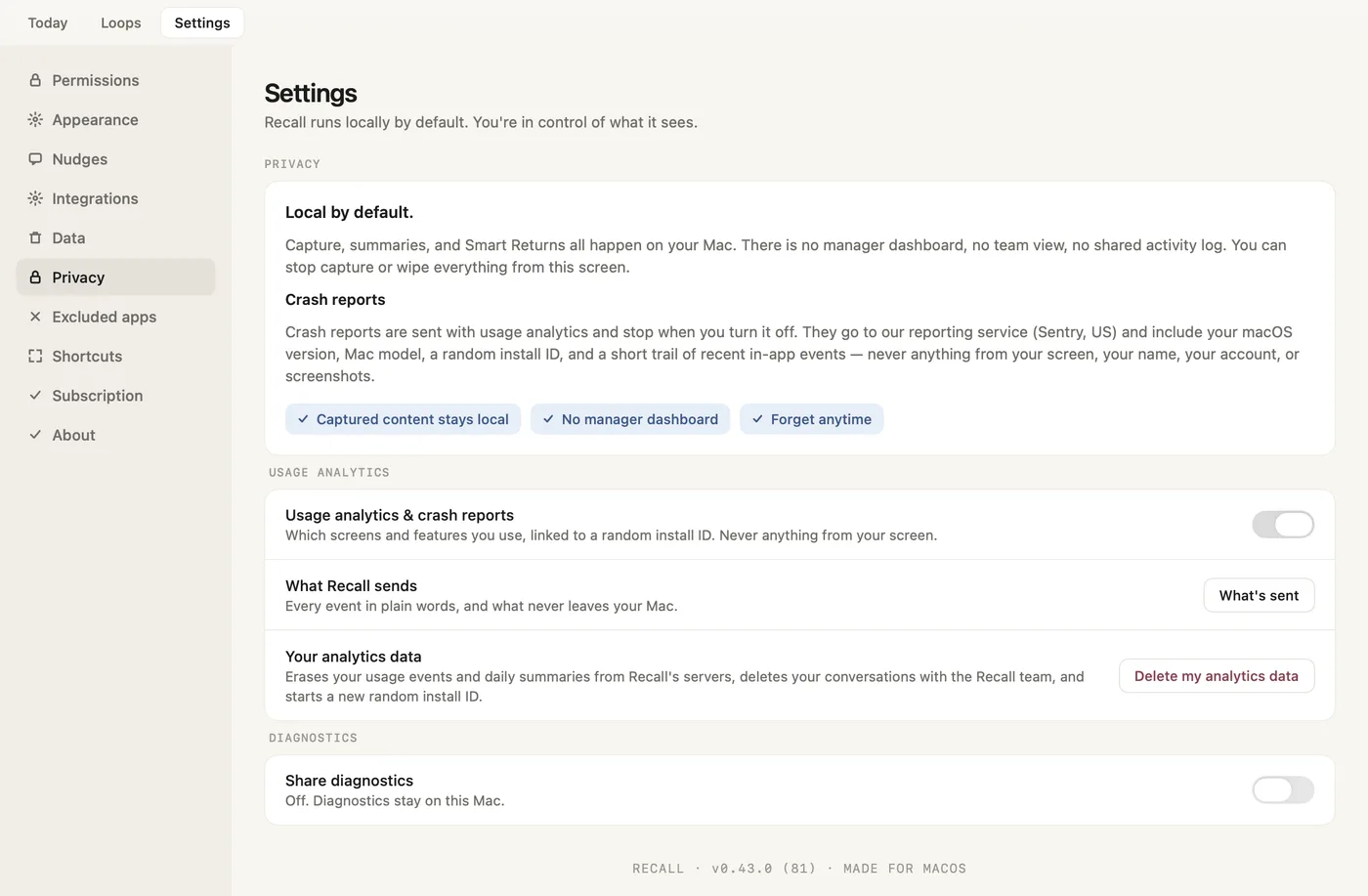
Which Recall screens and features you use, and crash reports, never anything from your screen. On by default; one switch in Settings → Privacy turns them off, apart from anonymous setup counts.
Google Analytics
A few milestones, such as setup completed or a purchase with its amount and currency, under a hashed install ID.
Reddit
If you came from a Reddit ad and allowed advertising on our website: whether that visit led to a download, a sign-up, a trial or a first purchase, under Reddit's own IDs and one-way hashed reference numbers.
Work content
What you send us in feedback, and, only if you turn on diagnostics sharing (off by default), screenshots redacted on your Mac with Recall's analysis, stored in the EU and deleted after 30 days.
Verify it: Network boundary

No. Recall runs its own model, Recall Core v1.1, trained by us for one job: reading a screen and telling what you are working on. Setup asks first and downloads it once, about 1.9 GB, only after you click Start free trial. Every analysis then runs on your own hardware, and no screenshot, window title or description of your work is ever sent to a cloud AI service.

Verify it: Processing

No. Recall holds two macOS permissions, Screen Recording and Accessibility, and nothing else. It never opens the microphone or camera and never records system audio, calls or video. macOS sometimes re-confirms screen access with a prompt that mentions audio. Recall still never records it. macOS may also ask whether Recall can access your Desktop, Documents or Downloads folder, or an external or network drive. That happens when an app has a file from there open: Recall checks whether the file belongs to a project folder (it looks for a .git folder) so it can group your work. It doesn't read or upload your files, and saying no only makes that grouping a little less precise.

Verify it: Capture boundary

No. There is nothing to read on our side, because work content is not uploaded. We read only what you choose to send us: a feedback message, with any images or activity data you attach, and, with diagnostics sharing on, diagnostics that can include analysis traces, screenshots redacted on your Mac, and any text you add. Images you attach to feedback are checked on your Mac first: card numbers, bank details, keys and seed phrases are blacked out, but names, emails and message text are not. We use feedback to answer you, and diagnostics to fix the problem and to improve Recall Core, our own on-device model.

Verify it: Feedback and diagnostics
In the app

Every control is one you can see.

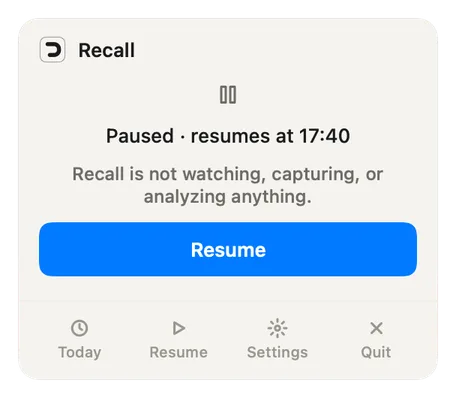
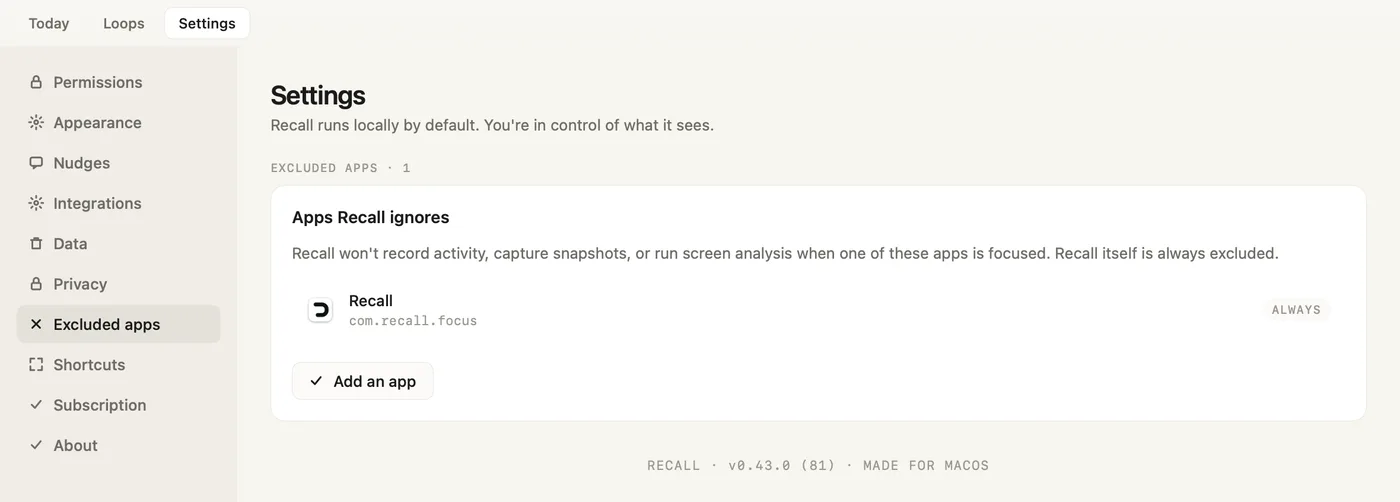
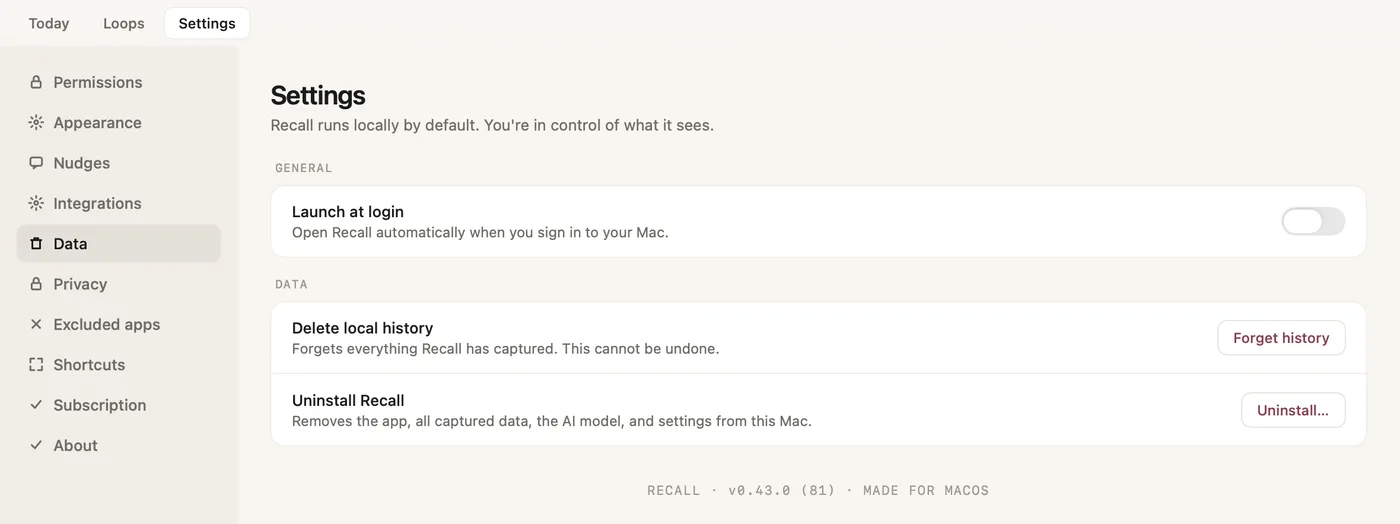
Pause Recall, exclude an app, turn off usage analytics or erase your history, from the menu bar and Settings.

One switch in Settings → Privacy, on by default, never anything from your screen. What's sent lists every event, and Delete my analytics data erases what we hold.

Recall Settings, Privacy: local by default, what a crash report carries, the Usage analytics and crash reports switch, What's sent and Delete my analytics data
Read the privacy guide
Second opinion

Check it yourself. Then get a second opinion.

Send our review prompt to ChatGPT, Claude or Perplexity, or copy it anywhere else. It lists the claims on these pages and asks for the gaps.

What the prompt asks

  • Defines work content and session metadata, so the boundary is testable
  • Lists every claim about capture, storage, the network and our vendors
  • Asks which claims hold, which need proof, and what the pages leave out
Read the full prompt
Review the published security controls of Recall at https://trust.joinrecall.com/controls (its Trust Center), together with the subprocessors list at https://trust.joinrecall.com/subprocessors. For this review, use two definitions: Work content: the actual contents of work, including message bodies, email bodies, documents, calls, voice, video, passwords, payment details, or raw screen content. Session metadata: the minimal structure used to help the user return, including app and window context, short descriptions of what was on screen, rough timing, and the notes and corrections the user makes. Please evaluate these claims: Recall is local-first and stores the user's work history on-device, relying on macOS FileVault for encryption at rest. Recall holds two macOS permissions, Screen Recording and Accessibility, and does not access the microphone, camera, calls, or video. It samples the screen about every 15 seconds; an on-device model reads each frame just long enough to write a short description, then the frame is discarded. Recall keeps those short descriptions, app names, window titles, timings, and the user's notes and corrections. Recall also keeps track of requests in the user's chats: when someone asks the user for something in Slack, Microsoft Teams, Telegram, WhatsApp or Mail, or the user replies that they will do it, Recall keeps it as a task in Loops, on the menu bar tray and on Smart Return. The tasks stay on the Mac with the rest of the user's history. While a task is open, Recall may keep a small picture of that chat on the Mac, and only while it is open. Recall does not capture or store keystrokes, passwords, clipboard contents or raw screen recordings. A chat on screen is read like any other screen: Recall keeps its short description and the tasks described above. There is no cloud sync or online storage of work history. Captured data stays on-device, except what the user chooses to send with Send Feedback: a message (stored as a conversation so the team can reply inside the app, together with Recall's logs and decisions, the app version, the hardware and a random install ID, never screen content), up to three optional images (checked on the Mac before upload, with card numbers, bank details, keys and seed phrases blacked out; names, emails and message text are not removed), the activity data for the period of a problem report (sensitive strings masked, and the user can untick it), and, only if the user turns on diagnostics sharing, which is off by default, screenshots redacted on the Mac. Diagnostics are stored in the EU, deleted after 30 days, and used to fix the reported problem and to improve Recall Core, Recall's own on-device model. They are never used for anyone else's model. Otherwise only the one-time model download, signed app updates (checked at launch and every hour), licence and payment processing, transactional email, crash reports that carry no work content, pseudonymous usage events (which screens and features are used, tied to a random install ID, never anything from the screen), and a few milestones such as setup completed or a purchase with its amount and currency, sent to Google Analytics under a hashed install ID, cross the network. Crash reports and usage events are on by default; one switch in Settings → Privacy turns both off, apart from anonymous setup counts that carry no install ID. On the website, while advertising is allowed, Reddit receives conversion messages when a visit from a Reddit ad leads to a download, a sign-up, a trial or a first purchase. Apart from what the user chooses to send, no third party receives work content. Vendors used for basics (app distribution, payments, email, hosting, licensing) do not receive the context of work. All AI runs on the Mac with Recall's own on-device model, Recall Core v1.1; there are no cloud AI calls. Users can pause Recall from the menu bar tray at any time, exclude any app in Settings → Excluded apps, correct threads and projects, erase their Recall history with Forget history in Settings → Data (which also deletes their analytics data and feedback conversations on Recall's servers, though not data Google Analytics already received), and remove the app, data and model with Uninstall… in the same place. Before any way back to a thread reopens anything, Recall lists each app, tab, file and chat it will open, all ticked; the user can untick any of them, and Cancel opens nothing. Questions: Are the definitions of "work content" and "session metadata" clear and complete, or is anything ambiguous? Are the boundaries around capture, telemetry, and third-party processing precise enough to evaluate? What privacy or security risks still remain, even if these claims are true? Which claims are clear and credible? Which claims would you want clarified or evidenced further before installing? What important privacy questions are not answered on the page?

This reviews our published privacy architecture, not proprietary implementation code.
Compliance

Statuses we can defend, not badges we bought.

If a status says planned, it means exactly that. It changes only when the audit or control work behind it exists.

GDPRControls implemented

Local-first processing is data minimization by architecture. Your history is one local folder you can open, and Forget history erases it; account-data rights via hello@joinrecall.com.

SOC 2Planned

No audit has been performed. We will not show an 'in progress' badge until control mapping and evidence collection have genuinely started.

ISO 27001Not started

Formal ISMS certification is not yet justified at our size. This status will change before any claim does.

HIPAANot in scope

Recall is not positioned for protected-health-information workflows and does not claim HIPAA compliance.

Report a security concern

Something here does not match the app?

Found a vulnerability, or something on these pages that doesn't match what the app actually does? Write to hello@joinrecall.com. Reports of inaccurate claims are treated with the same priority as security reports, because on this page they are the same thing.

More questions about Recall and your data

Does Recall record my screen all the time?

No. It samples still frames about every 15 seconds, less often on lower-power hardware, and not while the screen is locked, while you are away or while Recall is paused. Recall's own model reads each frame on your Mac just long enough to describe it, then the image is discarded. There is no continuous recording.

Does Recall train AI on my work?

No. Recall doesn't use your work content to train models. The one exception is diagnostics you choose to share, off by default, which help improve Recall Core, our own on-device model. They are never used for anyone else's model.

What about my employer or client?

Recall gives them no view: no manager dashboard, no team view and no server copy of your work history. On a company-managed Mac your IT team may control its permissions, and there is no audit yet, so check your contract. You can exclude any app in Settings, or pause Recall from the menu bar.

Can I delete what Recall captured?

Yes. Forget history, in Settings → Data, deletes your Recall history on this Mac, plus your analytics data and feedback conversations on our servers. It doesn't reach data Google Analytics already received. Uninstall…, in the same place, removes the app, your data, the AI model and settings.