Interrupted? Pick up where you left off in one tap.
Recall remembers your work across apps and tabs. After a meeting, message, or browser detour, it shows you where you stopped and what to do next.
Join the Telegram group Test new builds and share your context-switching cases.
What people are saying
“Recall is one of those products you get the first time it saves you. You’re buried in calls, tabs and messages, then it quietly brings you back to the exact thing you were trying to finish. No tasks to manage, no setup, no babysitting. Just a very useful “oh right” moment.”

The interruption takes two minutes. Getting back takes twenty.
The apps are still open. What disappears is the goal, the decision, and the next thing you meant to do.
Context switching is expensive for everyone. We’re building for messy, interruption-heavy workdays, including the kinds of work patterns many people with ADHD recognize.
leave a note before you switch
Smart Returnyour note, when you return
Drift reminderRecall me takes you back
Your apps remember where you were. Recall remembers what you were doing.
You work. Recall keeps the thread and hands it back.
Capture
Follows the work on your screen, on your Mac. Nothing to start or tag.
Understand
Sorts it into threads, and into projects named after the repo, doc or site.
Hold
Keeps each thread, the note you leave with , and who is waiting on you.
Return
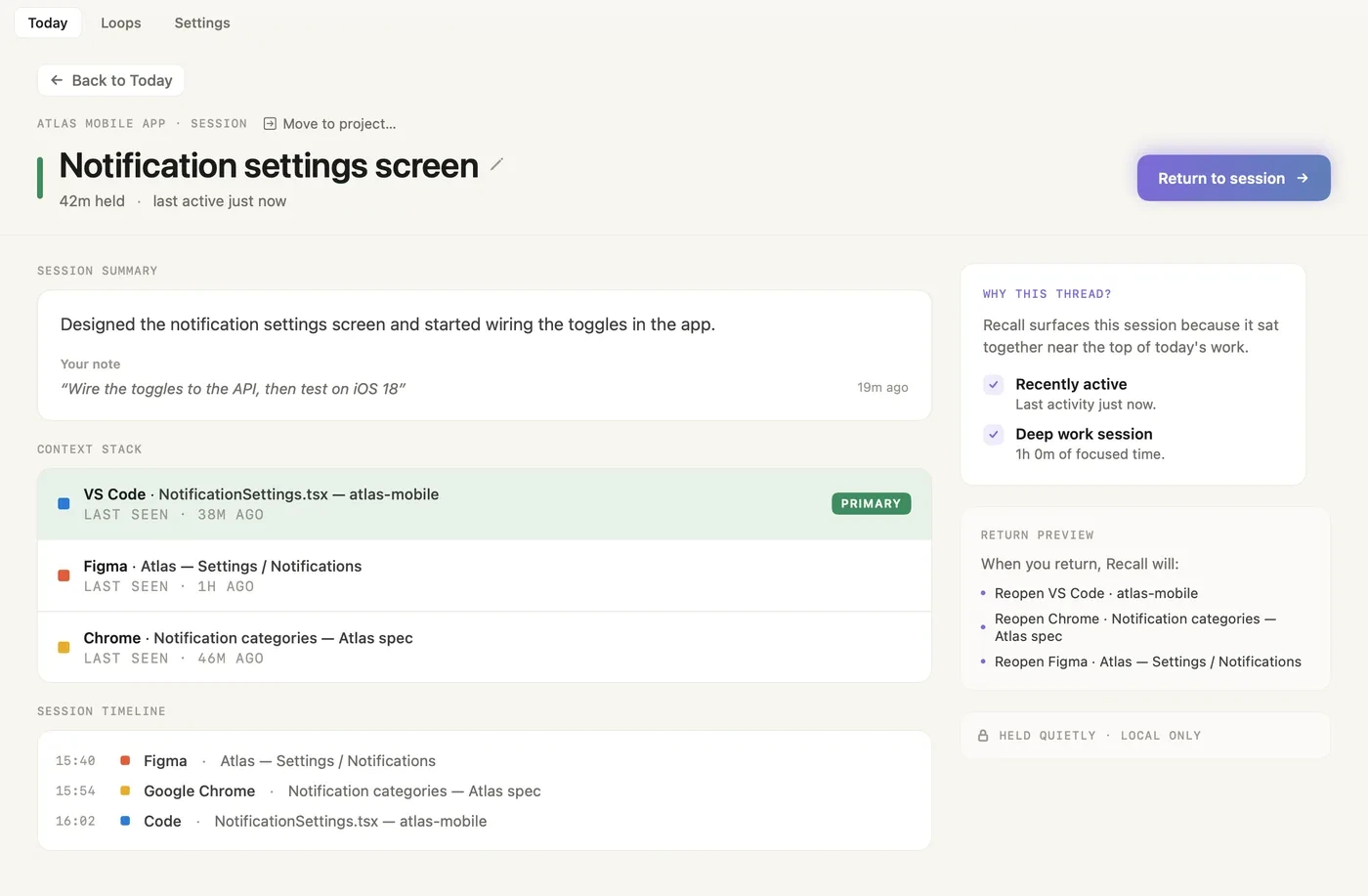
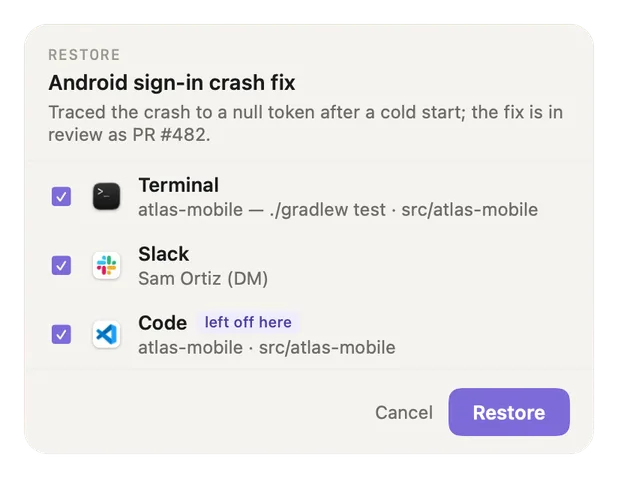
Shows what will reopen, ticked. Untick anything, then go back in one click.
The thread, your note, and exactly what reopens.
A small panel at the bottom right shows where you left off, and it never takes your keystrokes. Return to where you were reopens everything ticked, in one click.
Explore Smart ReturnYour note, then exactly what will reopen.
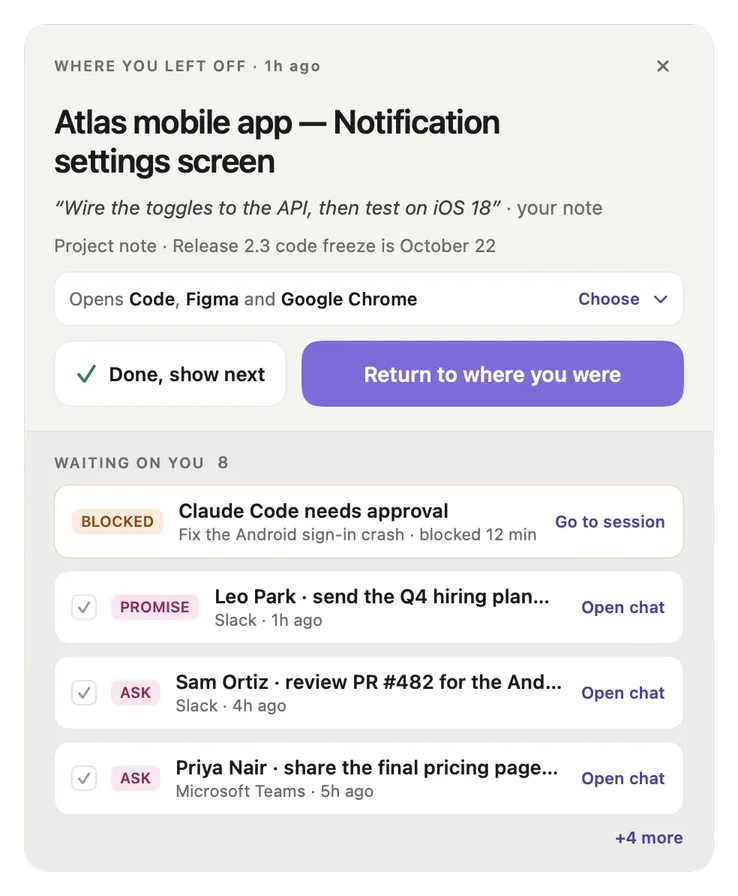
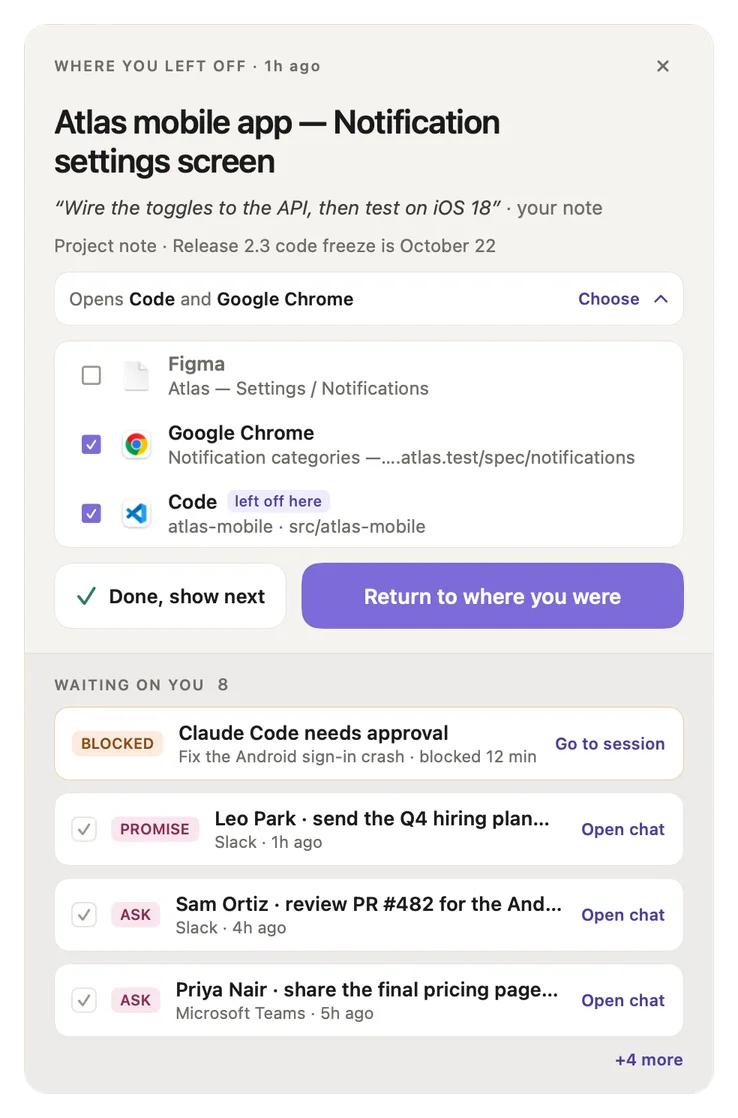
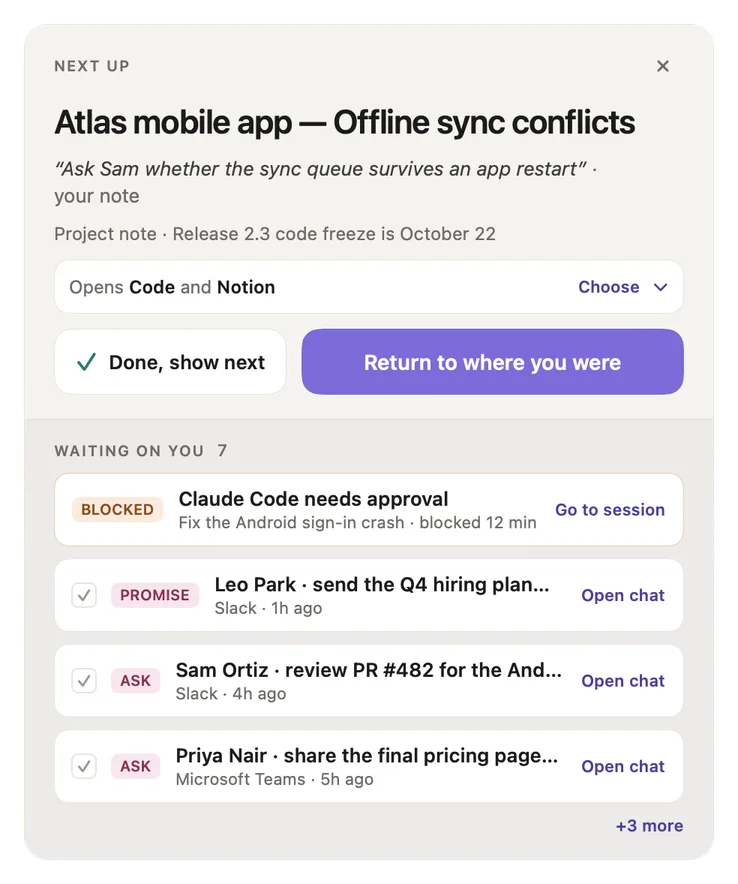
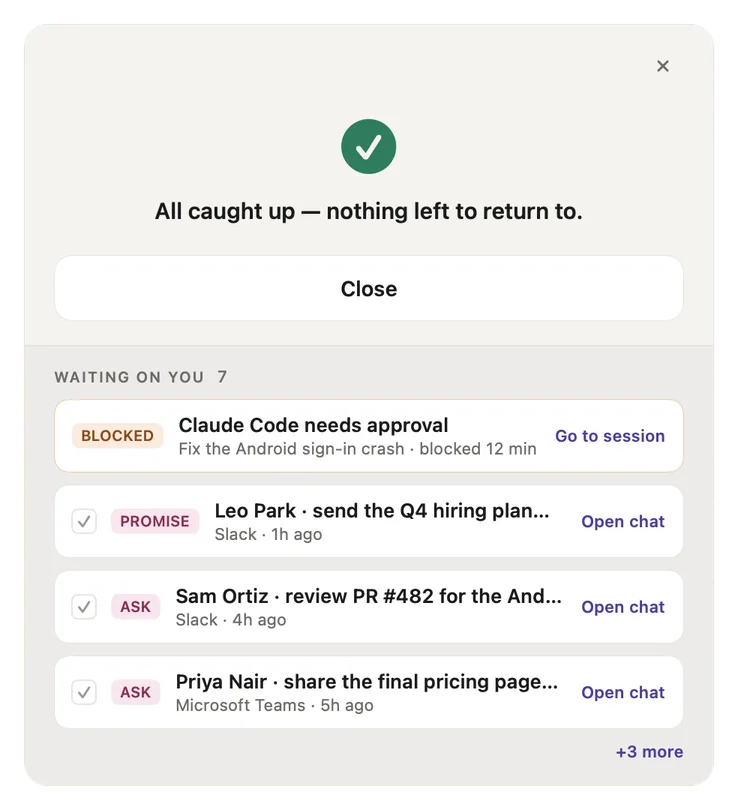
When it appears
After a break, when you drift far, or when you press or click Smart Return in the tray.
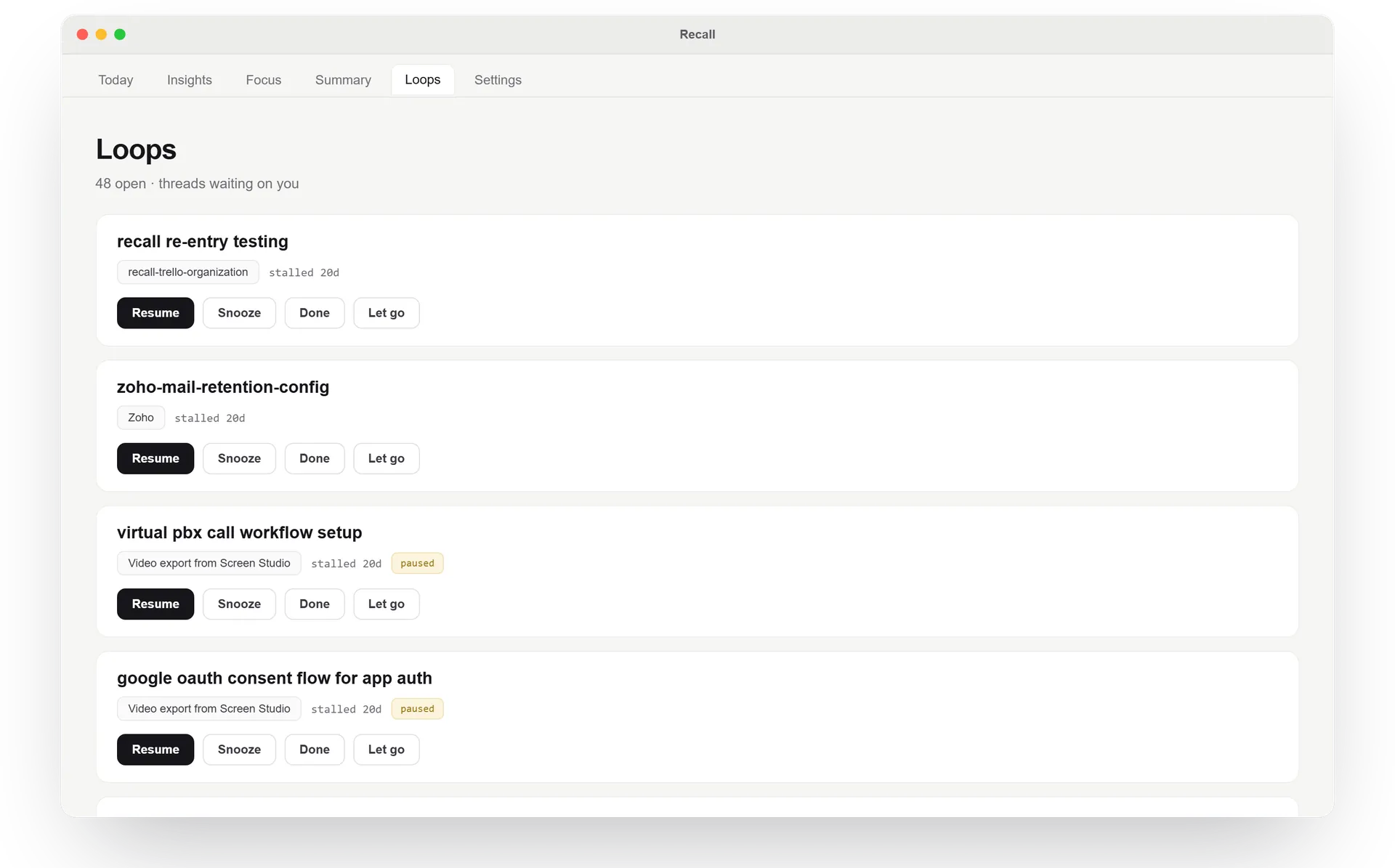
Waiting on you
One list under the card, one action per row: the tasks from your chats in Slack, Teams, Telegram, WhatsApp or Mail, and coding agents that need you.
Your agent chat comes back
Using Claude Code or Codex? Return brings back the exact chat you had open, right where it runs.
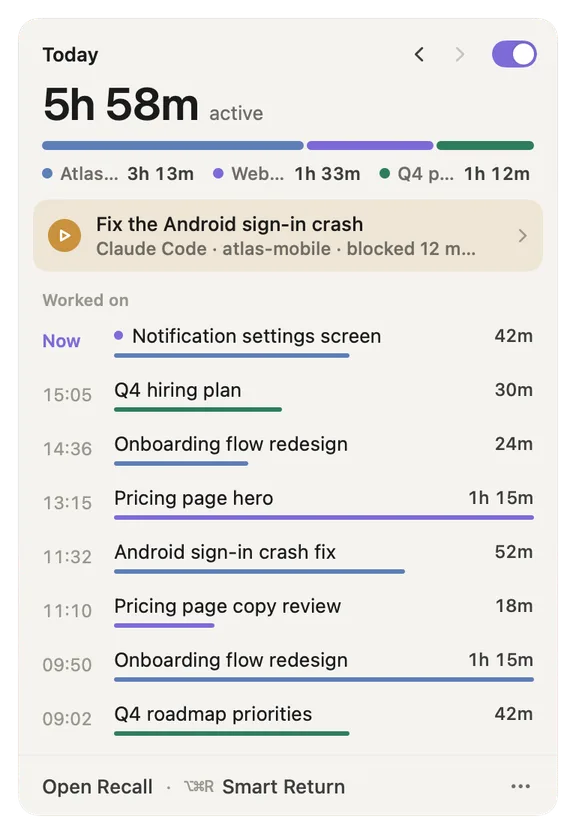
Your day, in the menu bar and one window.
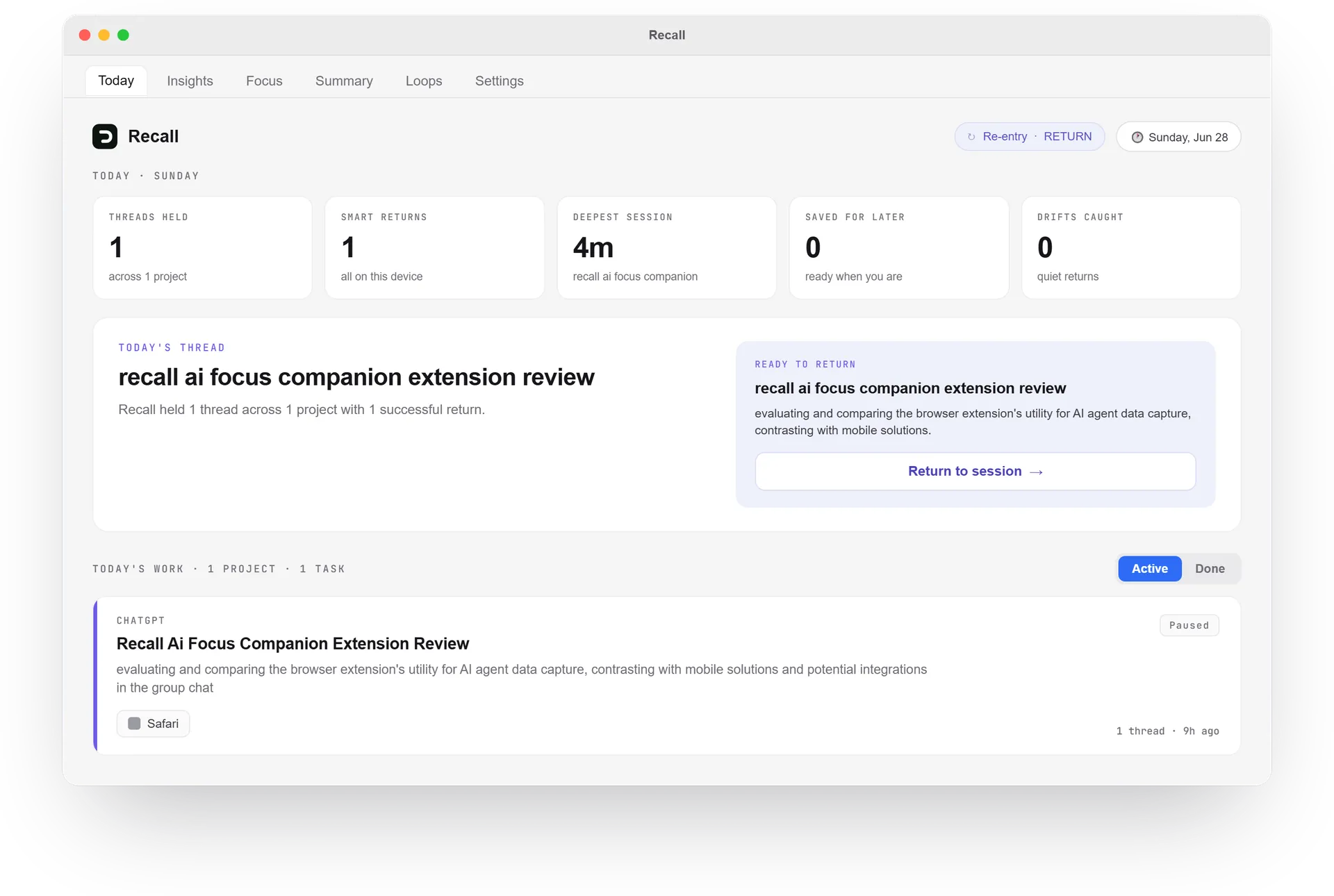
Recall lives in the menu bar. Open Recall for the main window: Today, Loops and Settings.
Read the user guideYour day from the icon: active time by project, what is waiting on you, and what you worked on.
It speaks up in three cases.
Each time it is one small card at the bottom right of your screen. Nothing pops up over a Smart Return or a restore checklist you already have open.
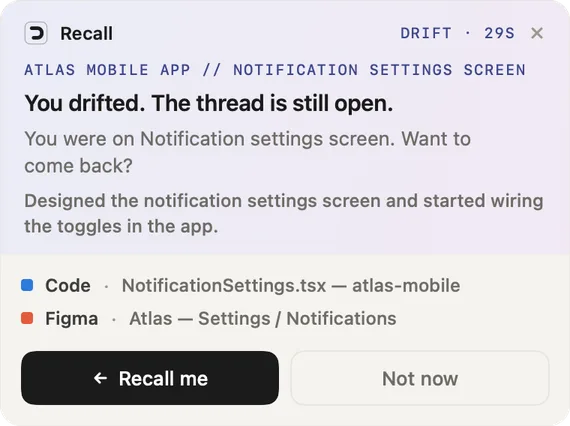
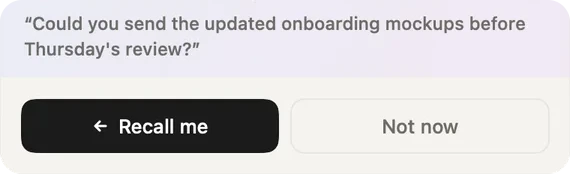
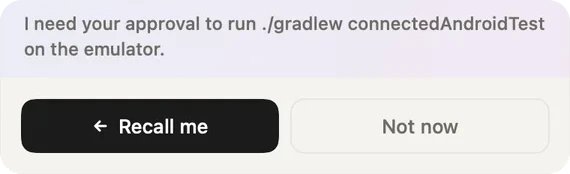
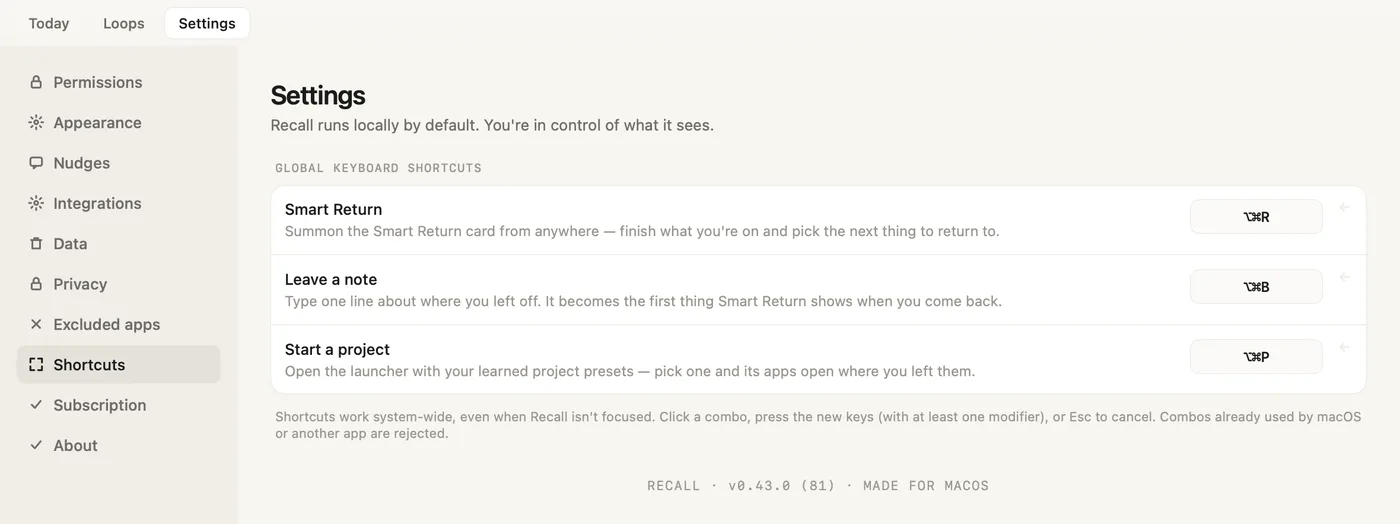
Settings → Nudges has three switches: Drift reminder, Smart Return after a break, and Breadcrumb prompt. opens Smart Return either way.
How nudges workDay one, it covers everything. Day three, it's learning how you work.
Recall picks up the shape of your work as you do it, on your Mac. Nothing to connect, nothing to label. In your first days, the tray may say Recall is learning your work.
How projects and threads workIt learns from every move you make.
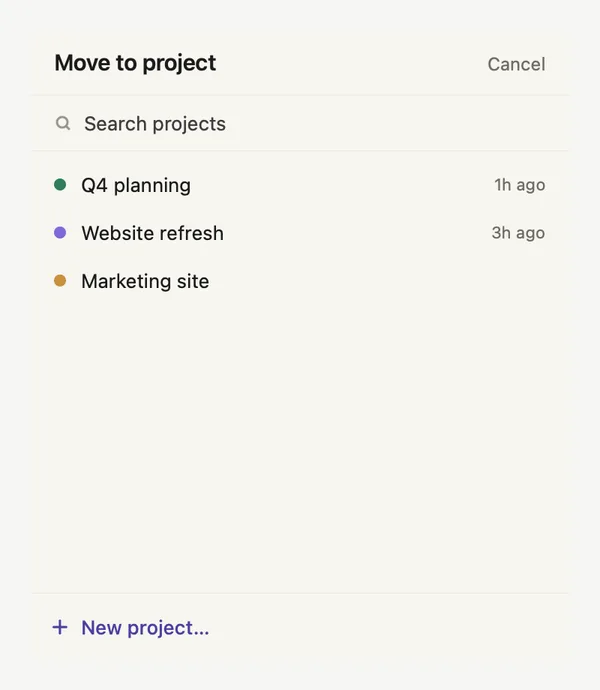
- Move to project
- One picker for threads, tasks, asks, agent sessions and notes. Recall learns from each move.
- Tidy up
- Two projects that look like one, or a task grown too big: Loops suggests a merge or a split, and never asks twice.
- Your names stay
- Rename a project or a thread and Recall never renames it after that.
- Start a project
- Opens the launcher with the project setups Recall learned from you. Pick one and its apps open where you left them.
Our own model, on your Mac.
Recall Core is trained for one job: reading a screen and telling what you are working on. It runs entirely on your Mac. Version 1.1 came with Recall 0.43: it reads unfamiliar screens better and keeps labels and summaries to what was on screen.
Recall Core v1.1 · about 1.9 GB · setup asks before the download
Recall Core v1 in Recall 0.42.0, against the previous release, on the same screens and the same Macs
- 2×faster per screen
- 88%thread names right, up from 56%
- 93%detours told from real work, up from 53%
- 90%new work filed under the right topic, up from 22%
Works with all of it. Connects to none of it.
Recall follows your work as it happens, so there is nothing to connect. No APIs, no accounts to link: nothing to break, expire, or grant.
Integrations required: noneWhat comes back, app by app.
- Chrome, Safari, Arc, Firefox, Brave, Edge
- The tab you were on, only that tab
- VS Code, Cursor, Windsurf
- The workspace folder you were in
- JetBrains IDEs
- Your project, or the IDE itself
- Xcode
- The file you had open
- Terminal, iTerm2
- A new window in the folder you were working in
- Obsidian
- The vault and the note
- Claude Code, Codex
- The exact chat you had open
- Figma, Slack and other apps
- The app opens, you pick the file or channel
Local by default. You stay in control.
Recall reads your screen and keeps what it learns in a folder on your Mac. What is on your screen stays there, unless you choose to send it with a bug report.
- Read, then discardedAbout every 15 seconds, Recall Core, our own model, reads your screen on your Mac. Then the image is gone.
- Captured content stays localShort descriptions, app names, window titles, timings and your notes, kept in a folder on your Mac.
- Never the mic or cameraNo keystrokes, no clipboard. Content that looks private is dropped automatically.
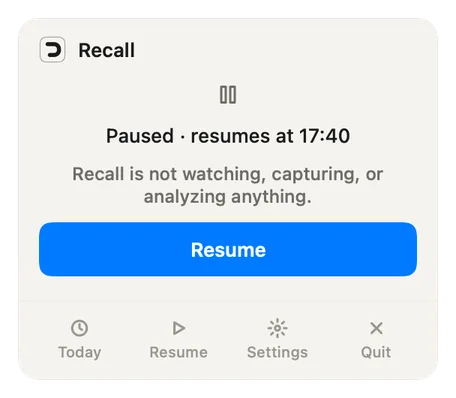
- Pause or excludePause from the menu bar, from 15 minutes to the rest of the day, or until you resume. Exclude any app in Settings → Excluded apps.
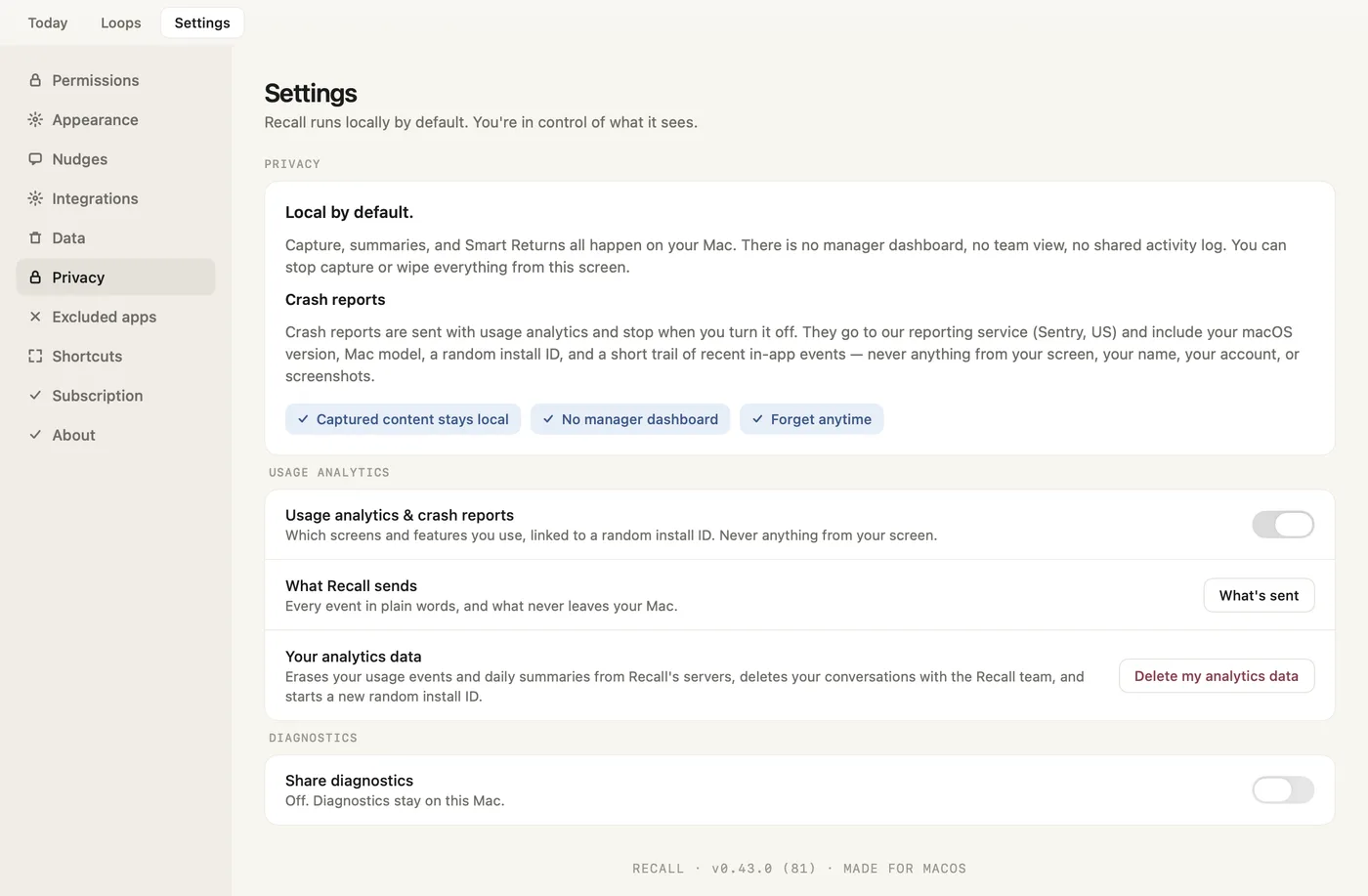
- Analytics, one switchUsage analytics and crash reports are on by default and never include anything from your screen. Settings → Privacy turns them off. Diagnostics sharing starts off.
- Forget anytimeForget history in Settings → Data deletes everything Recall captured on this Mac, plus your analytics data and feedback conversations on our servers.
One place to return, not another tool to manage.
One plan. It replaces the stack of focus tools you stitched together to hold your day, with nothing new to manage.
No card to start · Cancel anytime
- Follows your work by itselfWhat is on your screen, grouped into threads and projects. Nothing to create, tag or start.
- Your day, in the menu barActive time split by project and what is waiting on you. Today shows the full timeline. Time away never counts.
- Smart Return, one click backYour note and exactly what will reopen, then Return to where you were. Every way back shows what it opens first.
- Loops, for what is still openClaude Code and Codex sessions waiting on you, the notes you left, and unfinished work, in lists.
- 1 connected device
- All Recall features
- Apple Silicon (M1+), macOS 14+
- Captured content stays on your Mac
- All future updates
- Locked-in early pricing
What Recall may replace
The trackers, planners and session logs you bought to hold the day.
- Todoist Protask manager$5-8/mo
- RizeAI time tracking$12-48/mo
- RescueTimeproductivity tracker$7-15/mo
- TimingMac time tracker$9-16/mo
- Sunsamadaily planner$17/mo
Plus other trackers, session logs, and tab or session recovery tools.
Recall does not replace Notion, Figma, Linear, Slack or VS Code. It remembers what you were doing inside them and brings it back, down to the browser tab, the VS Code workspace or the Claude Code chat. No migration. No tagging. No new system to maintain.
Recall is live on AppSumo. Pay once, remember forever. While the campaign lasts.
Why we built Recall
We built Recall from real life, not ideal conditions. Work does not happen in one clean block. It gets split by calls, context switches, family, and everything else the day throws at you.
We work the way a lot of builders do: many tabs open, interruptions everywhere, and too many unfinished loops.
A meeting lands at the worst moment. A message pulls attention sideways. By evening, the file is still open, but the thread is gone.


You are shaping what Recall becomes.
Every report and idea you send shapes what comes next. Send Feedback… in the menu bar starts a conversation with us, and our reply comes back inside the app. Reddit is the open room, where other builders tell their context-switching stories. Telegram is the smaller one: a group of power users who see builds early and argue out what ships next.